
USER GUIDE
Revision - July 17, 2026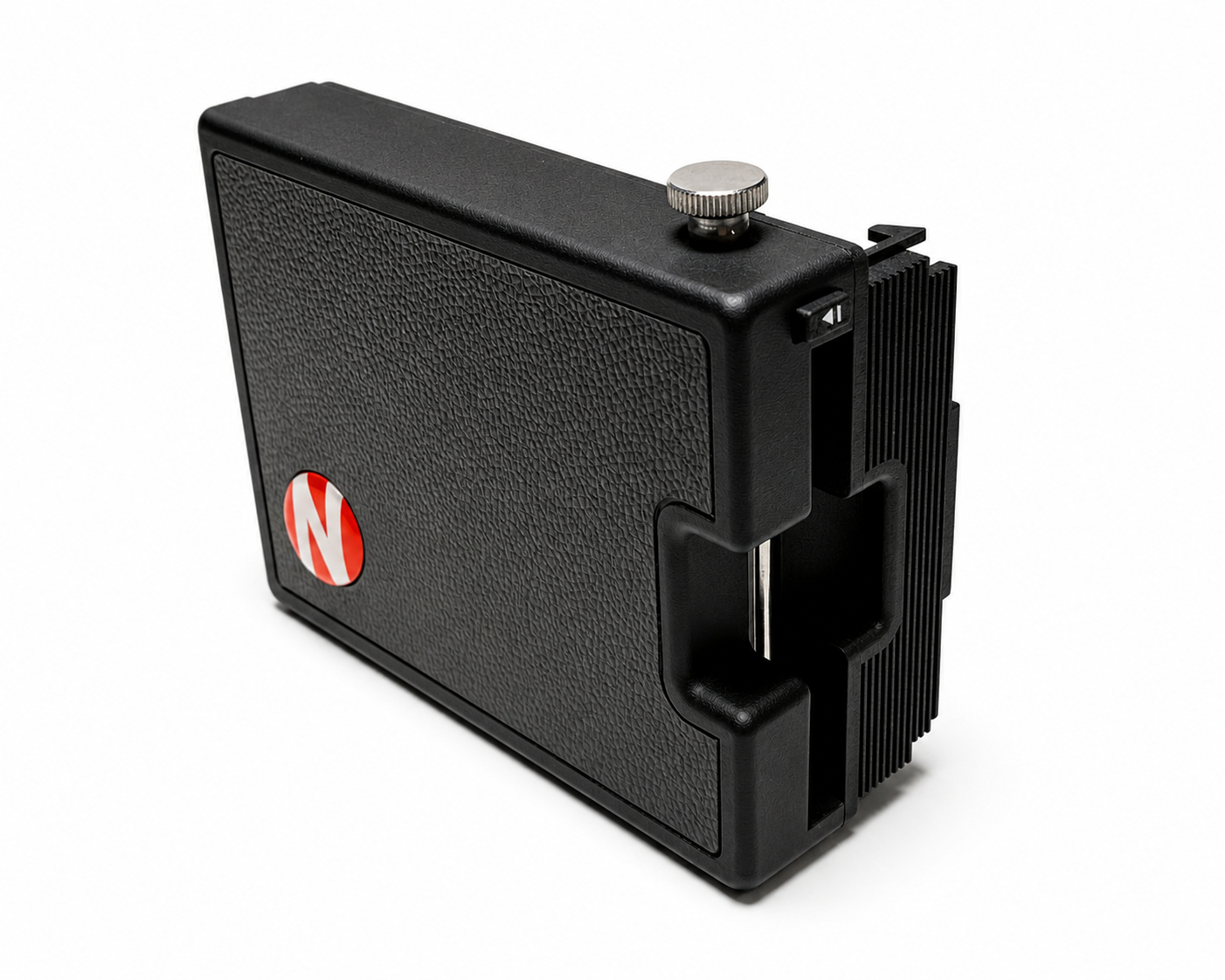
NEWLAND INSTANT BACK
Land camera 100-400 series
Film I-Type / 600 / SX-70
IN THE BOX
The NEWLAND kit includes all you need to keep using your Land camera
-
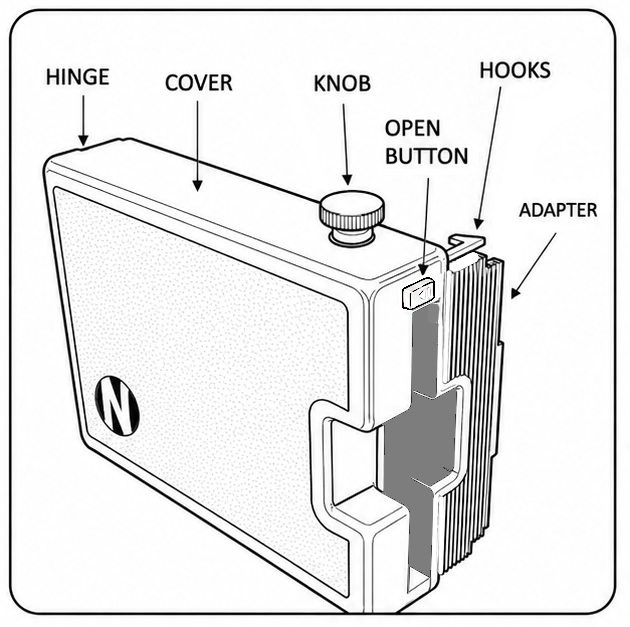 NEWLAND Instant back film holder
 -
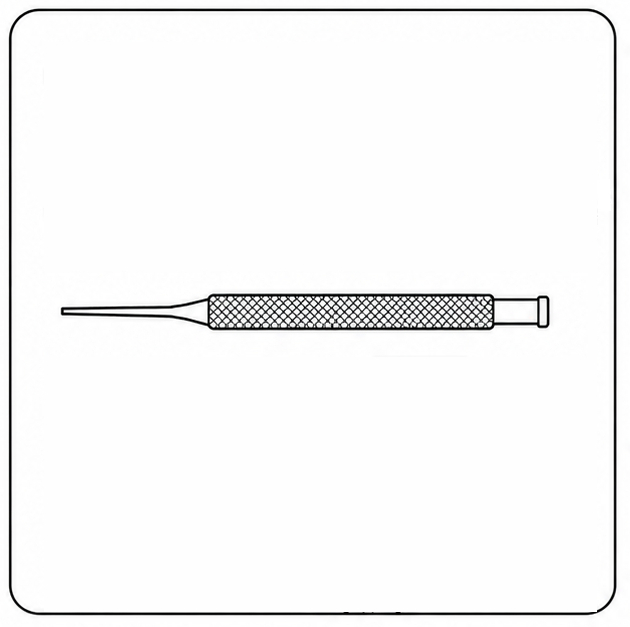 Pin Punch Tool To remove the hinge pin
 -
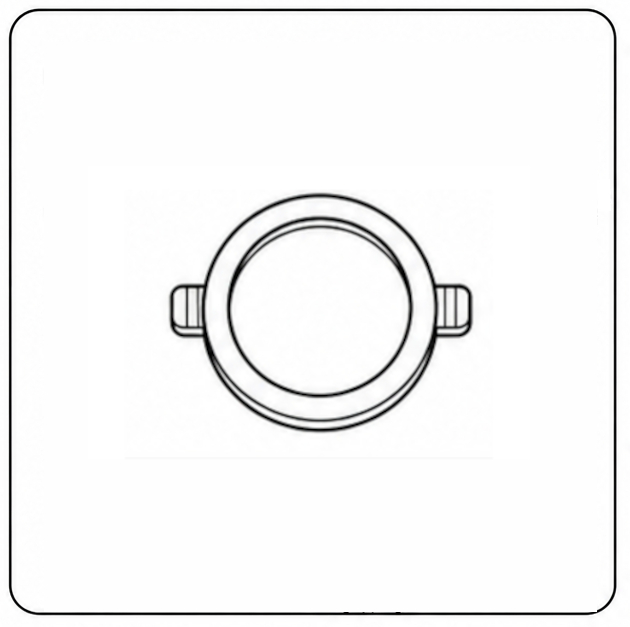 Correction Lens To adjust proper focus
 -
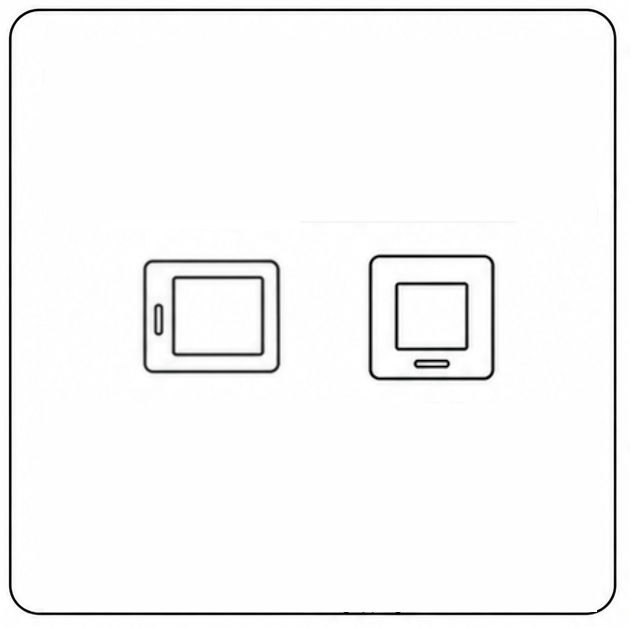 Tiny Viewfinders To frame square images
 -
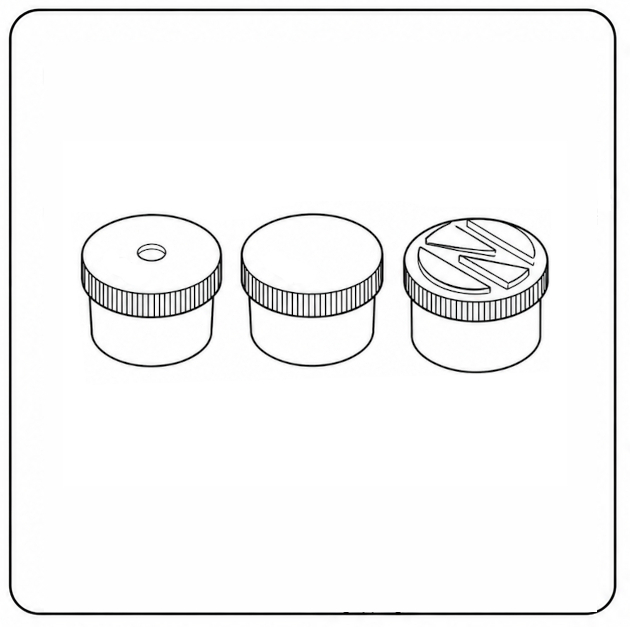 Optional Add-ons 3D-printable files
Technical specifications
| Compatible cameras | Land cameras: 100-400 series |
|---|---|
| Compatible films | Polaroid film: i-Type, 600, SX-70 |
| Exposure area | 79 x 79 mm (3.1 x 3.1 in) |
| Image format | Full frame image / mirrored |
| Rangefinder accuracy | From portrait to infinity |
| Dimensions | 11 x 15.5 x 5.5 cm (4.3 x 6.1 x 2.2 in) |
| Weight | 250 g (without accessories) |
INSTALLATION
The NEWLAND conversion is simple and fully reversible
Get the camera ready
Place the closed camera lens side down on a table
-
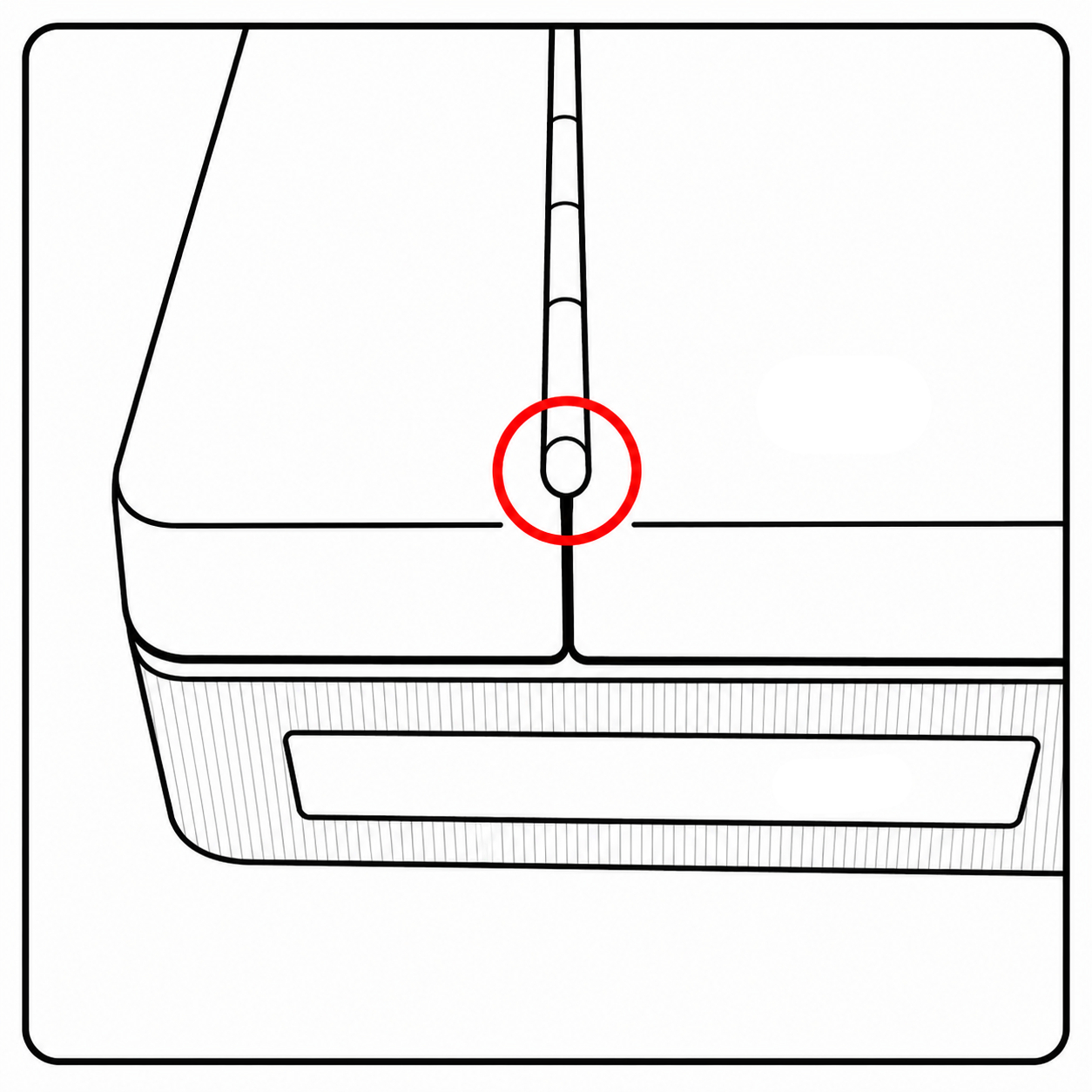 Remove this plastic end pin with flat-nose pliers
 -
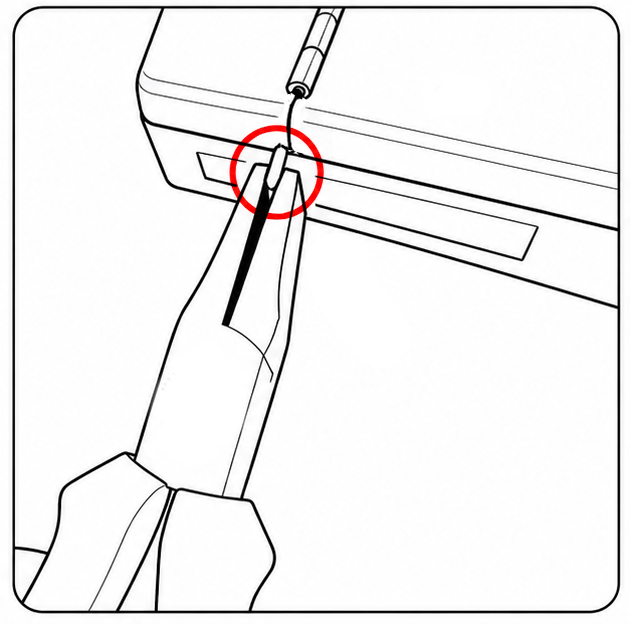 Gently lever it back and forth until they loosen
 -
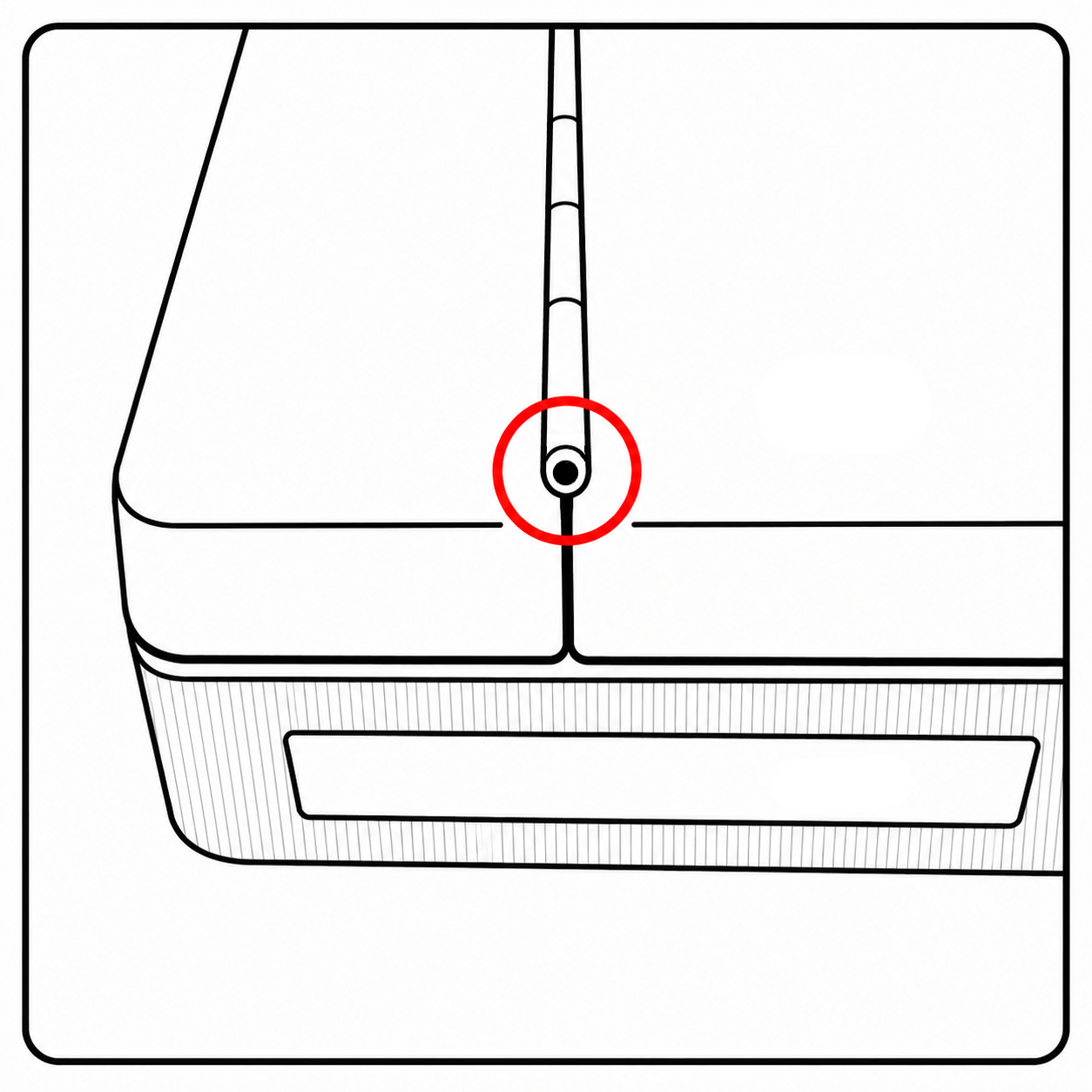 If the end pin doesn't move, break it off
Remove the original door
-
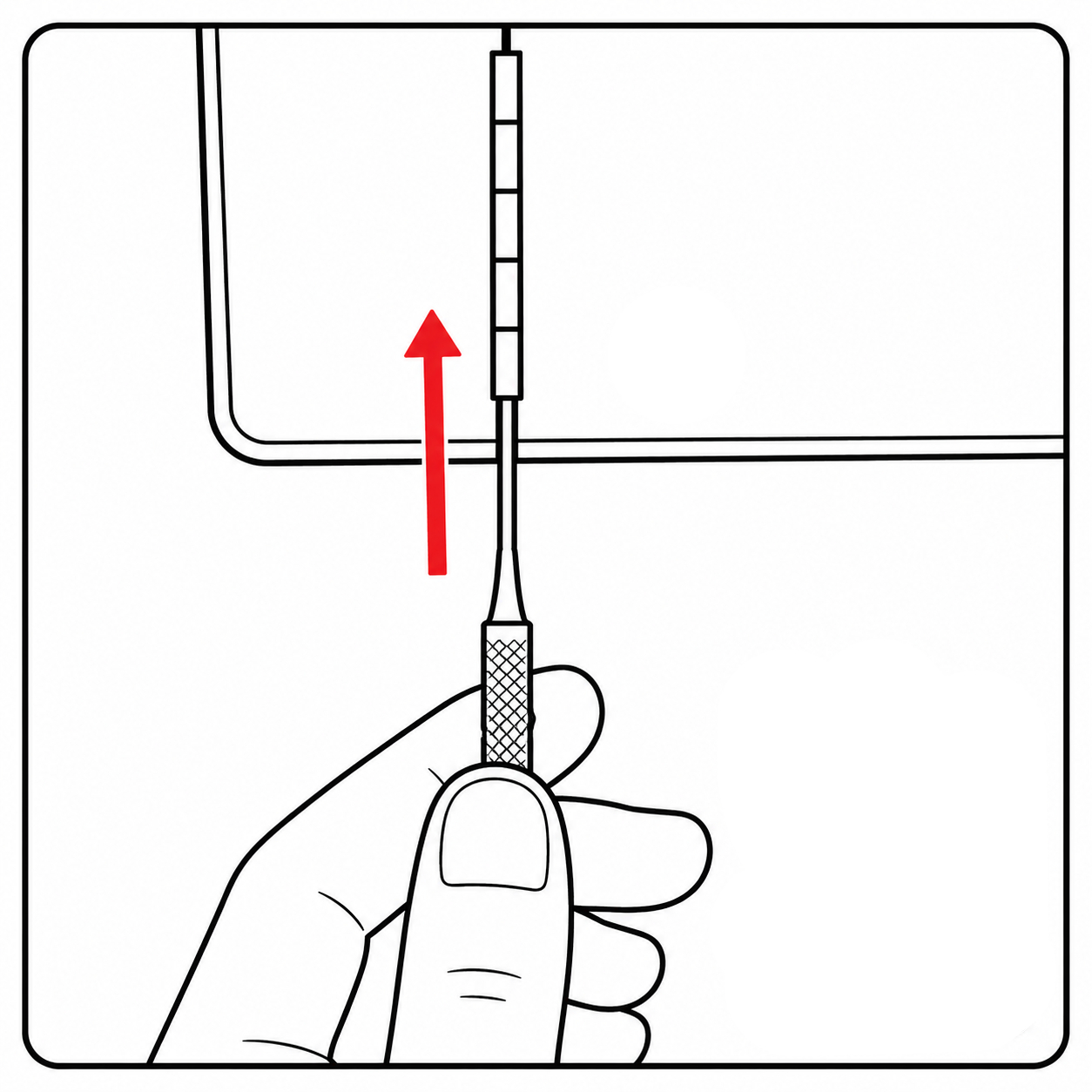 Insert the Tool into the hinge
 -
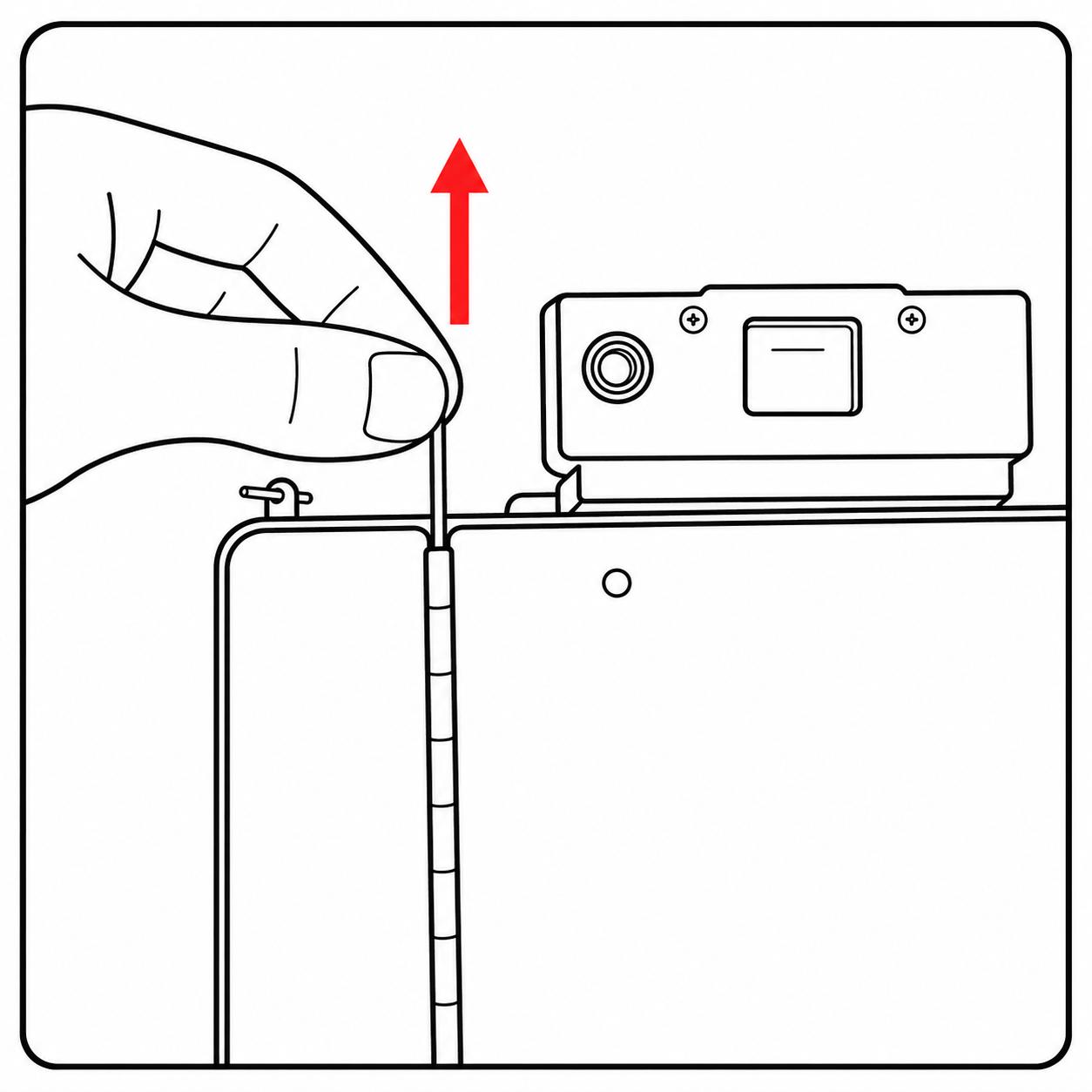 Push the hinge pin out
 -
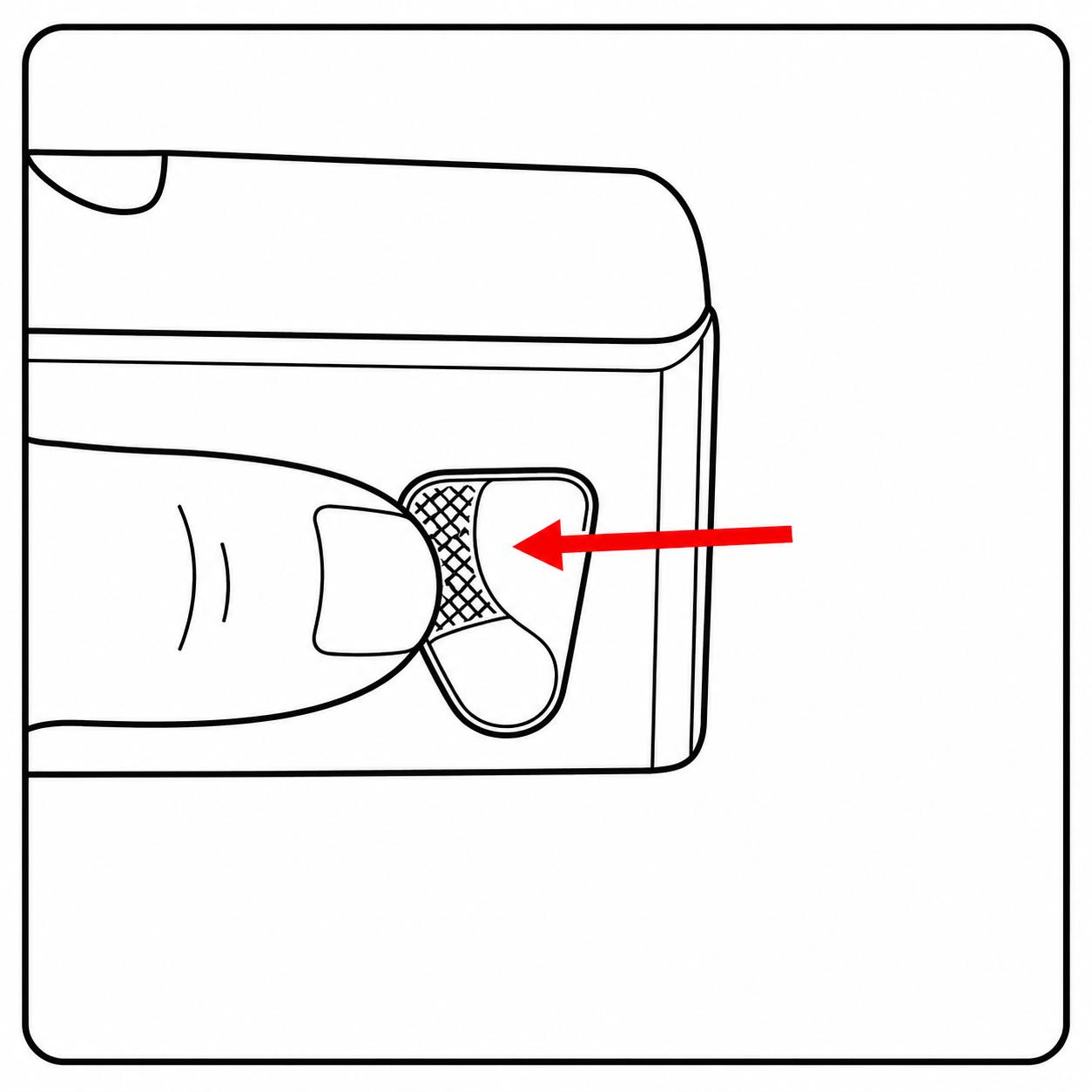 Release the back door latch
 -
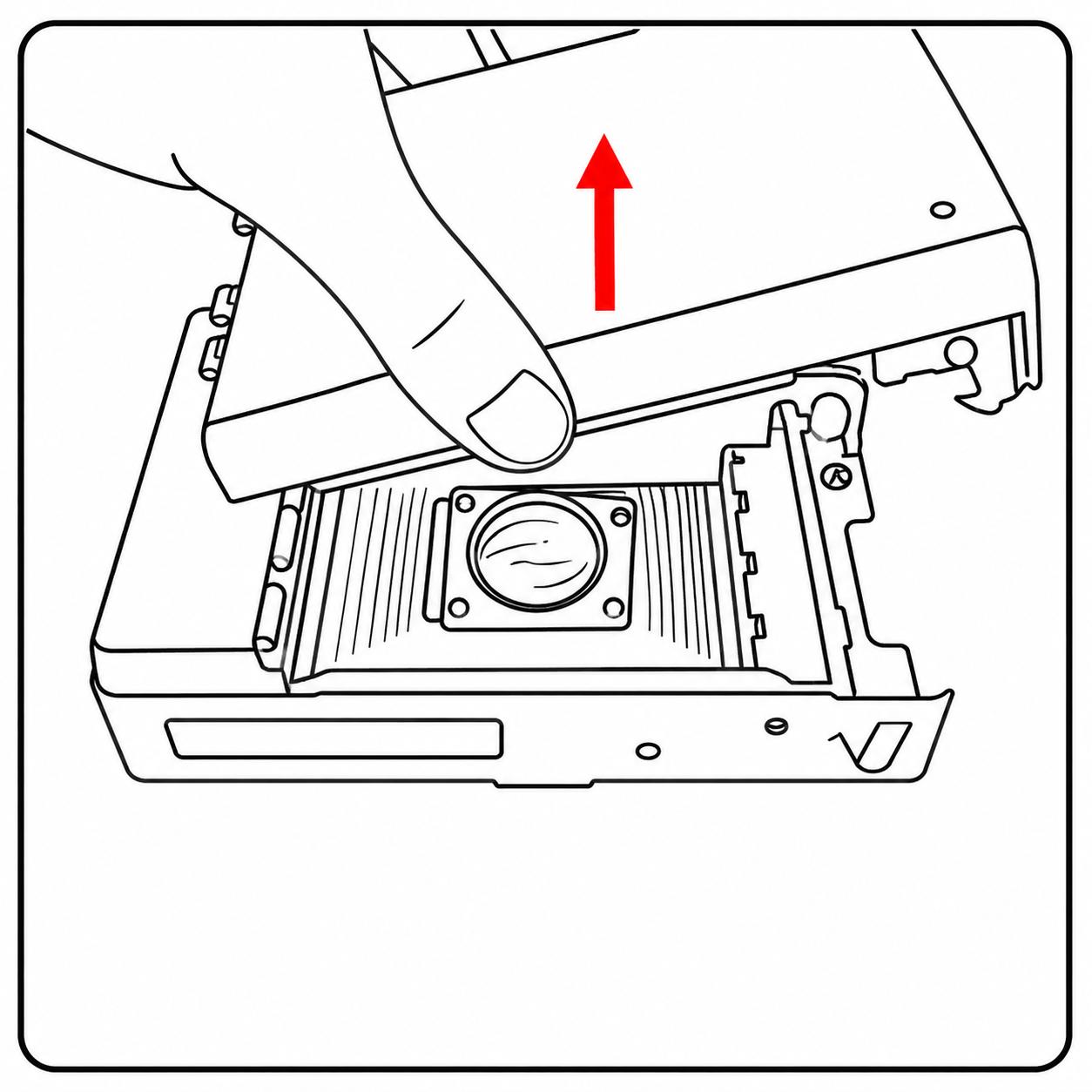 Remove the original door
Install the NEWLAND back
-
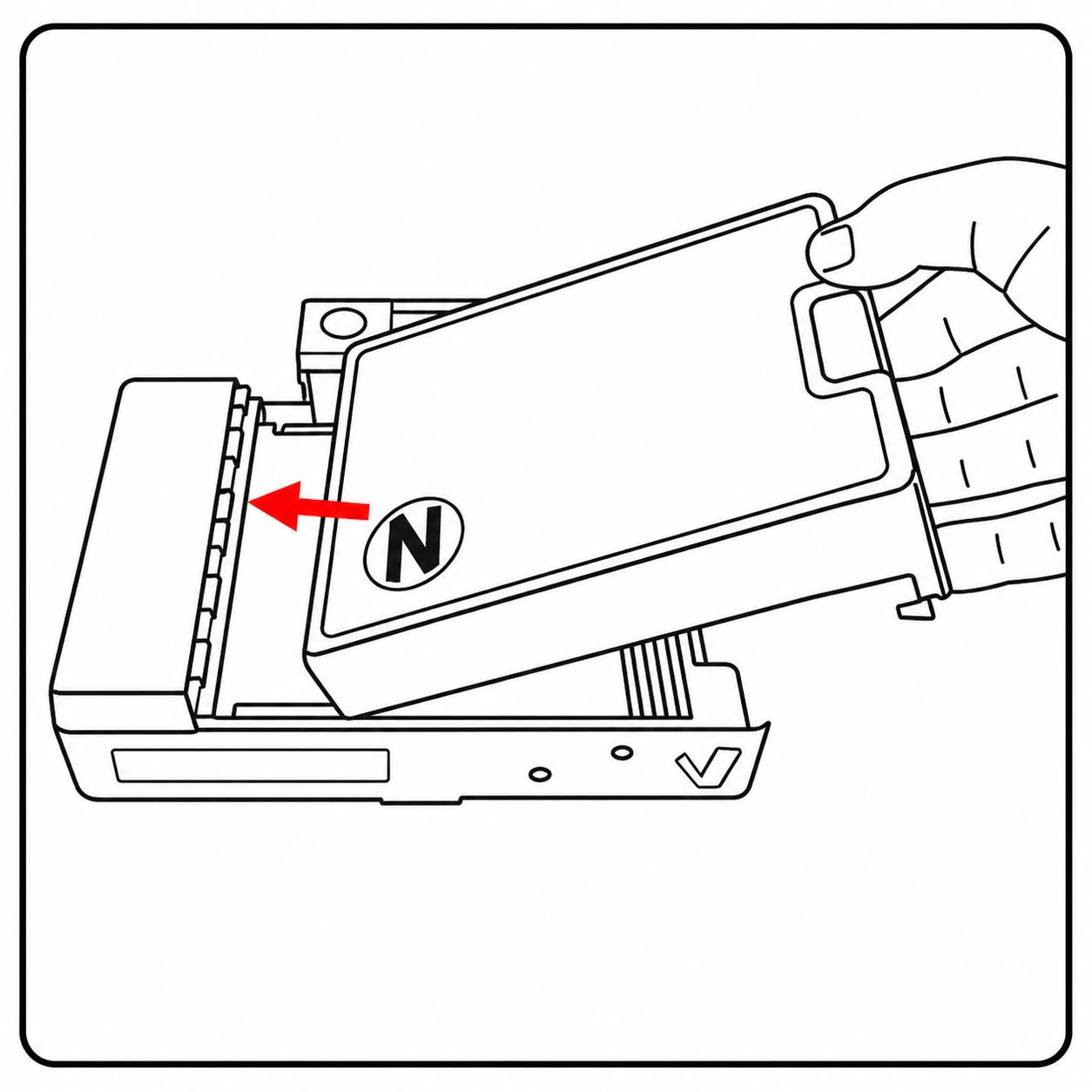 Slide it into place, aligning the hinges
 -
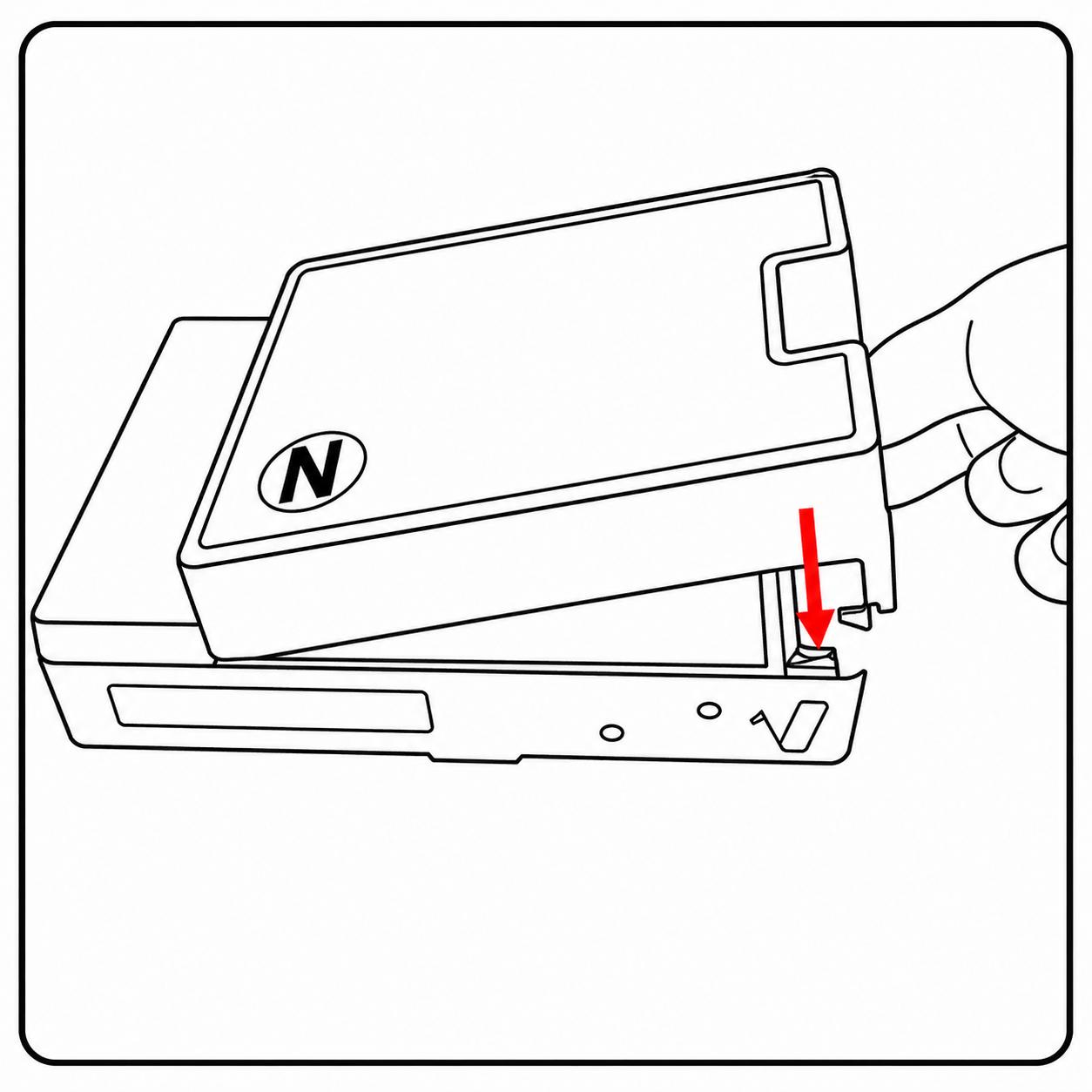 Lower the right side until it sits in place
 -
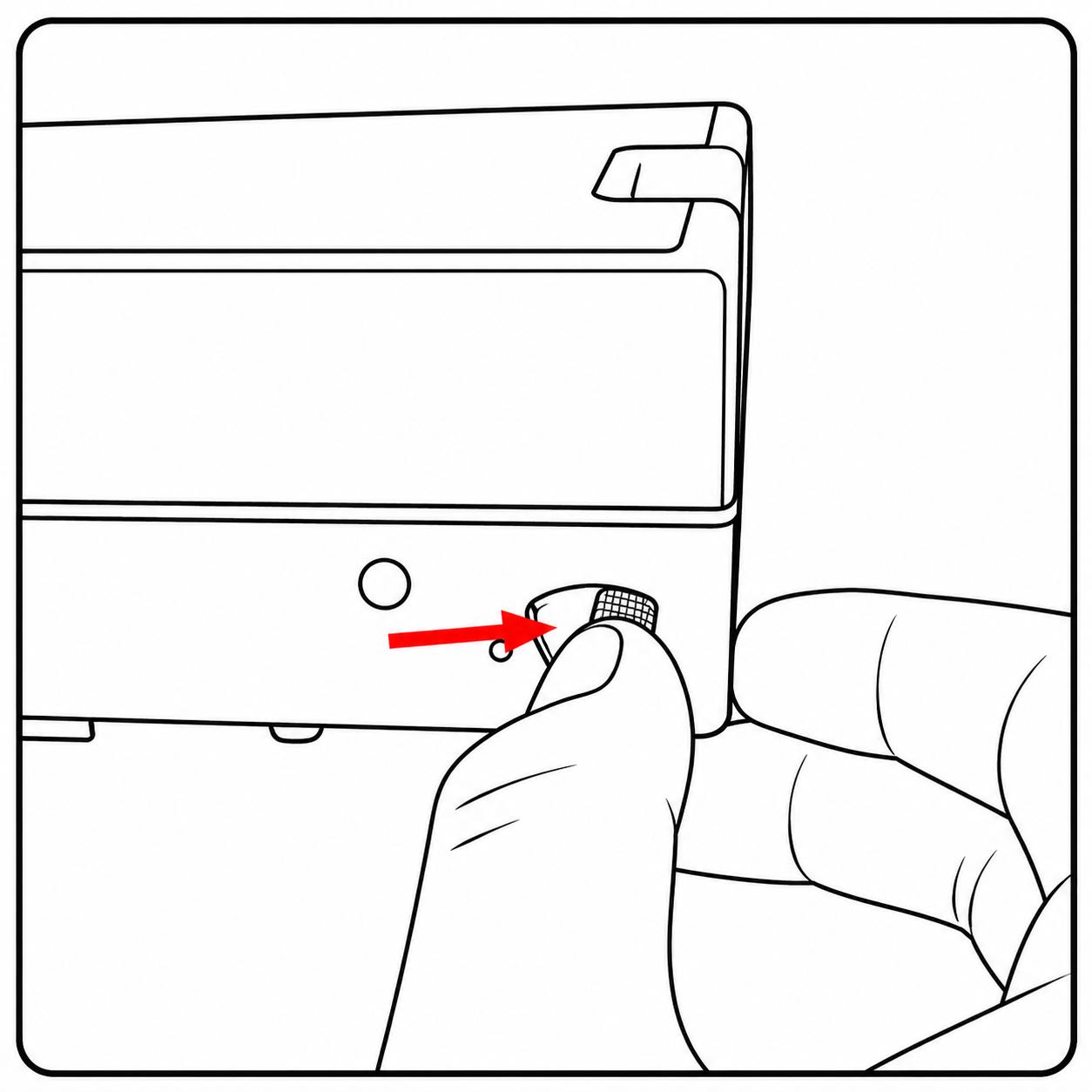 Lock the lever, verifying the adapter not moving
 -
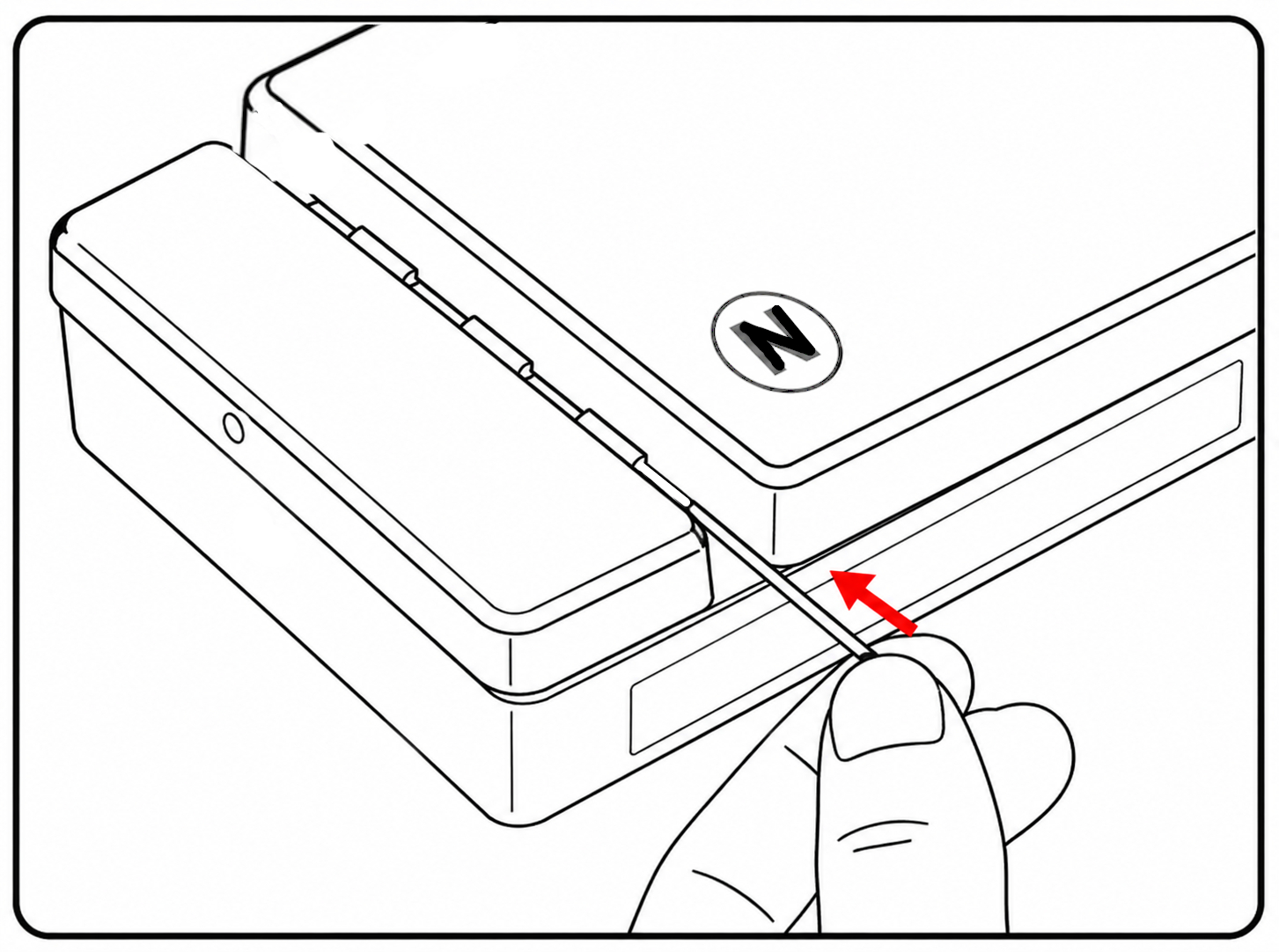 Reinsert the hinge pin
Video - Installation
Install the correction lens
Place it centered over the rear lens element inside the camera
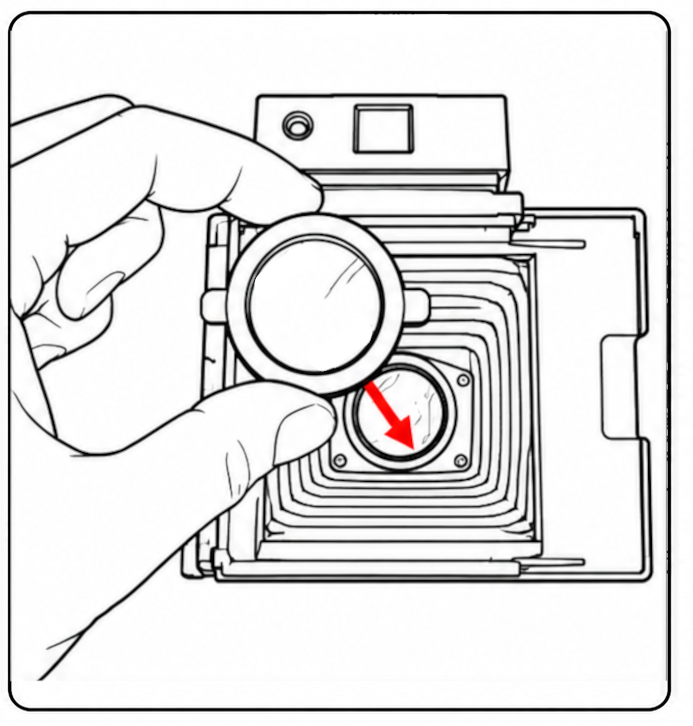
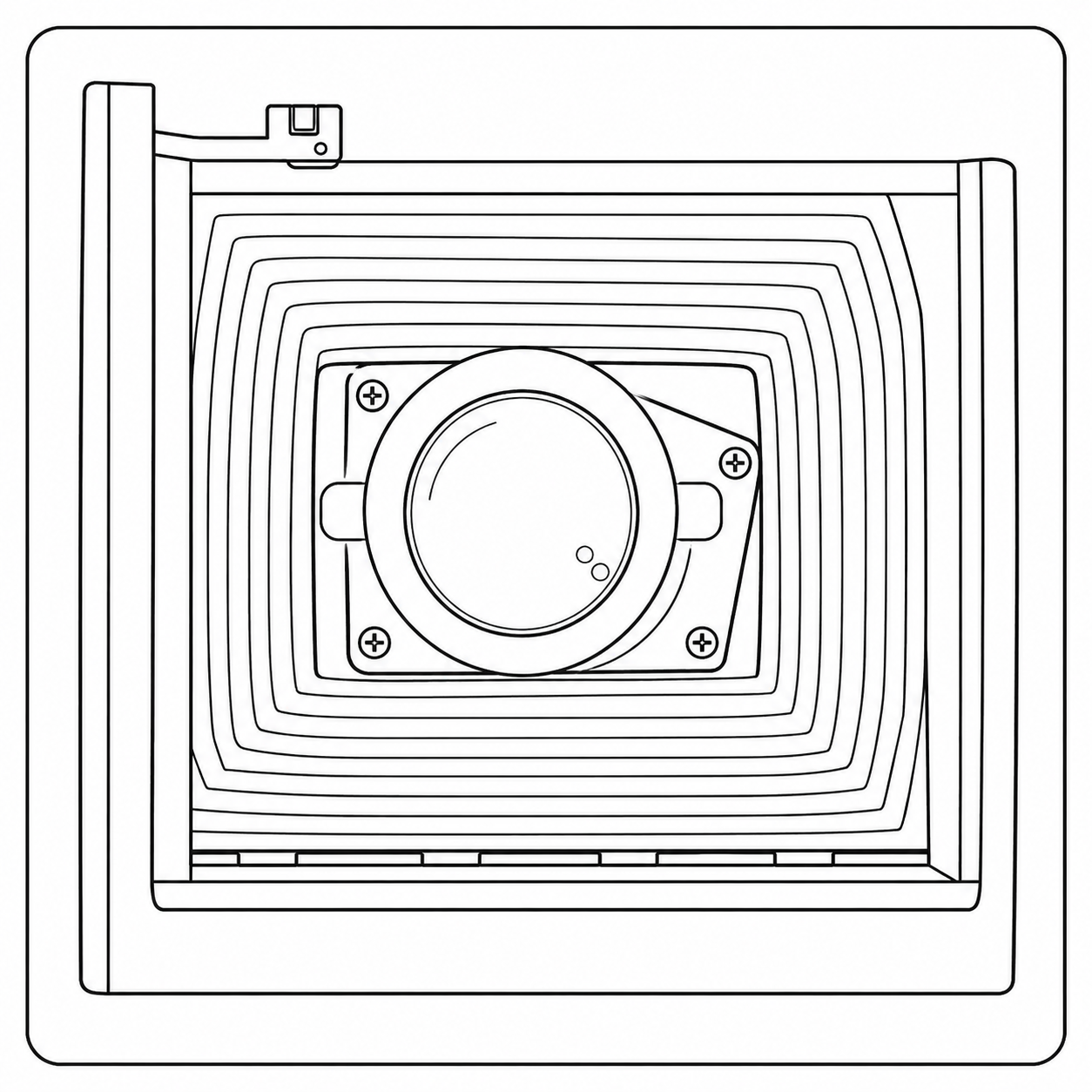
It is held in place by two magnets
Install the tiny viewfinder
Remove the protective backing and stick it over the camera window
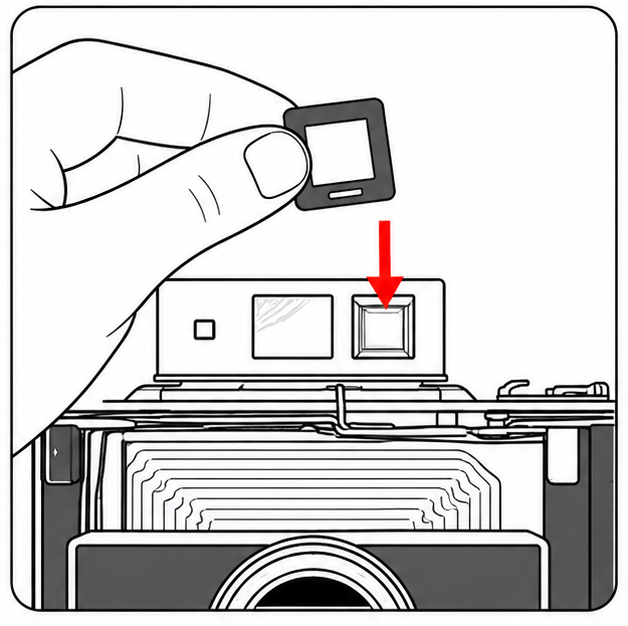
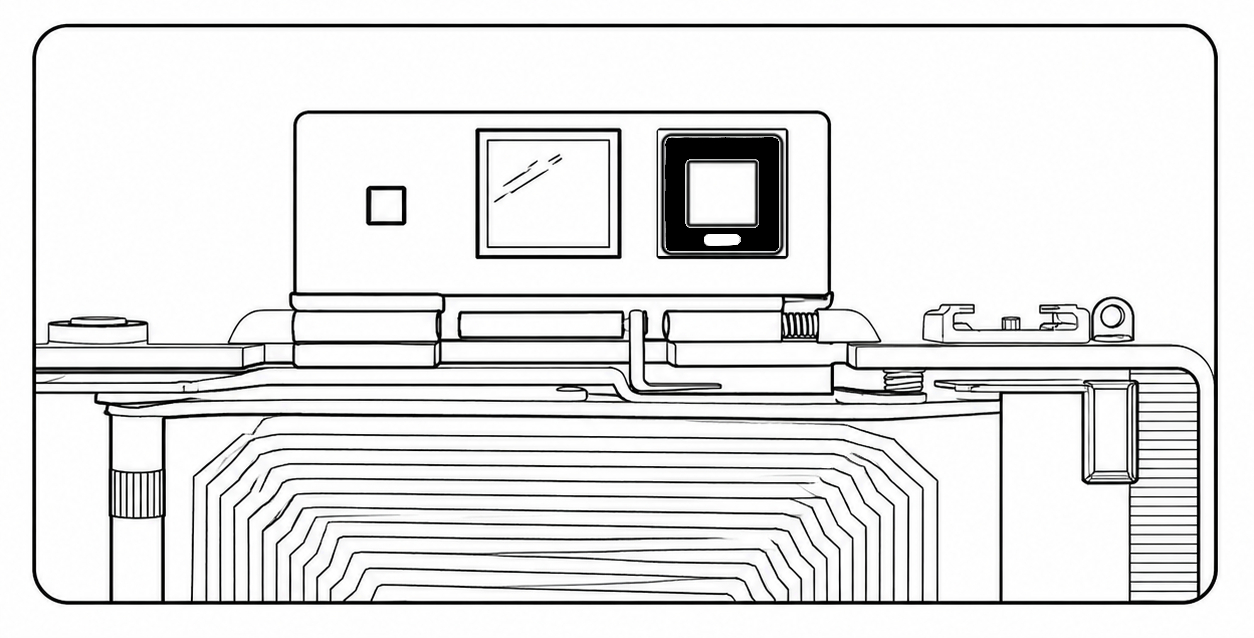
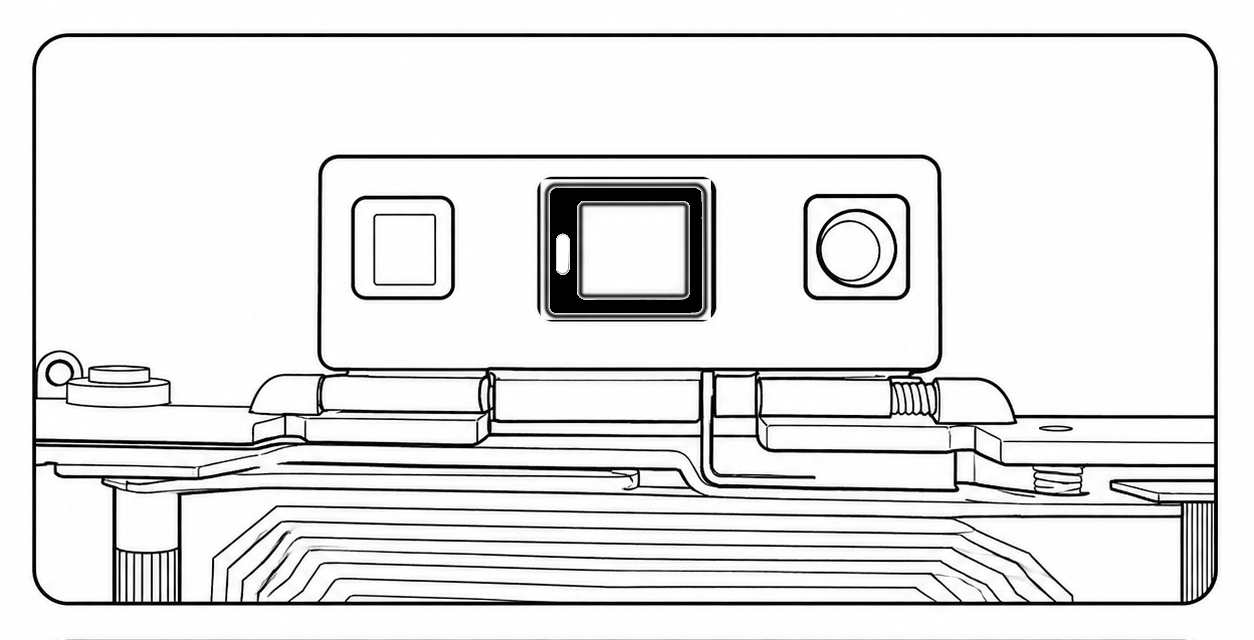
There are two Tiny viewfinders:
Square for Zeiss viewfinder models. Install it white stripe facing down
Rectangular for other models. Install it white stripe on the left
LOAD FILM
For best results use film with a recent production date and stored properly
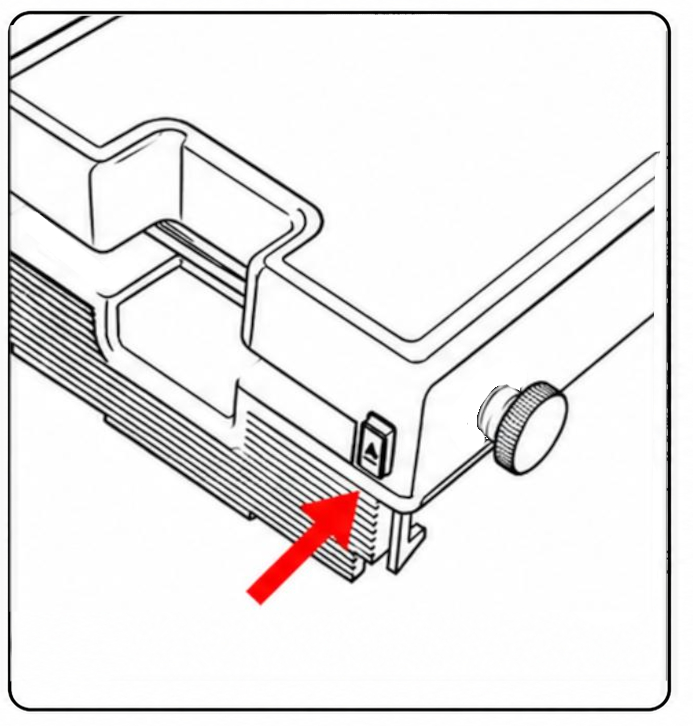
Press the button to open the cover
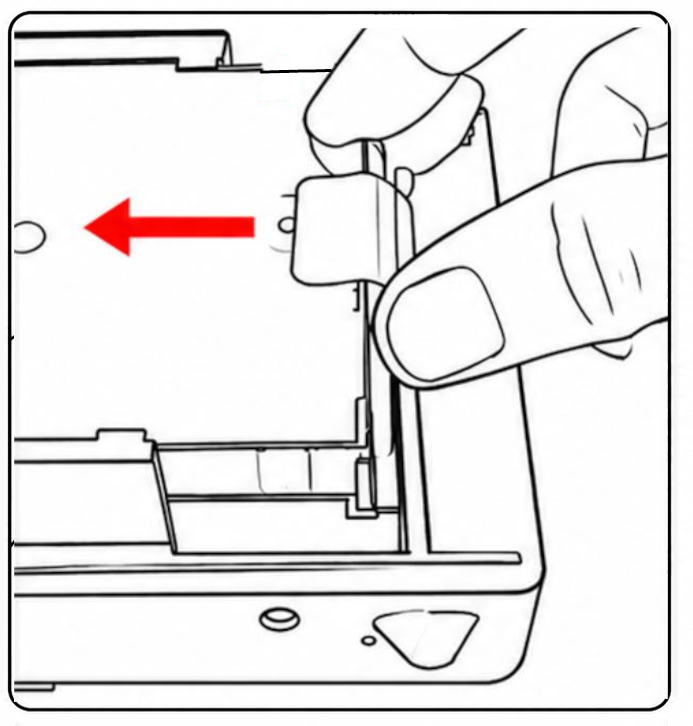
Insert the film pack (tab side up) until fully seated, then close the cover
Turn the knob until the dark slide reaches the edge of the cover
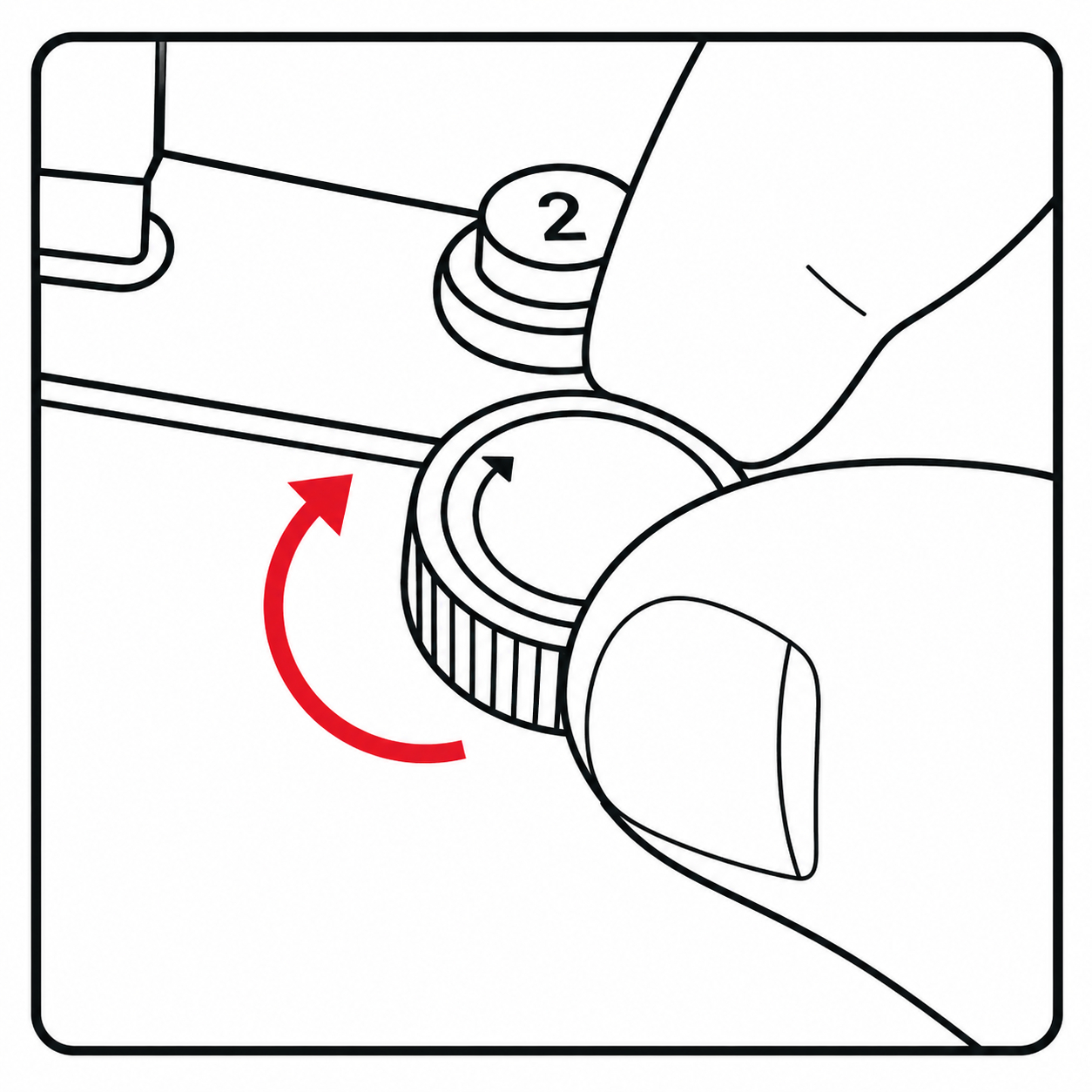
Then pull out the dark slide while holding the knob steady
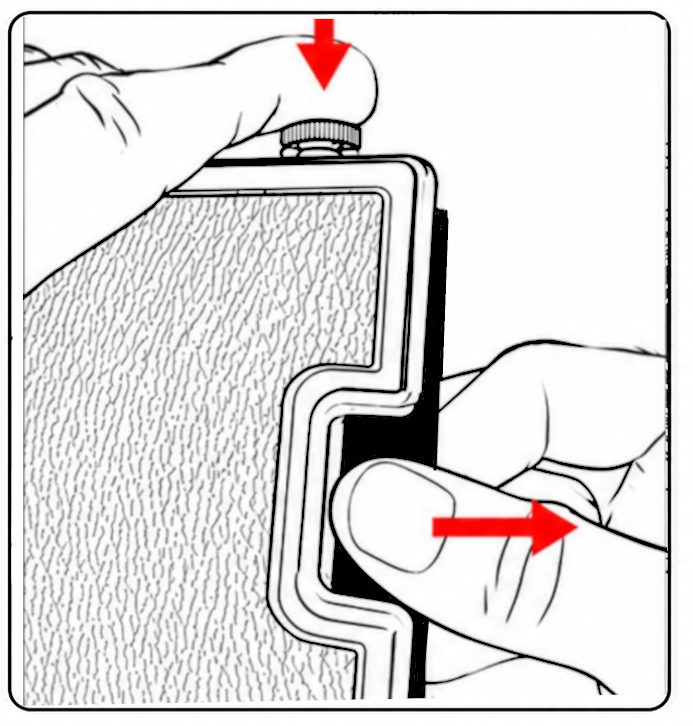
If it blocks do not force. Open the cover, verify that the pack of film sits well in place and turn the knob before closing and trying again
Video - Eject Dark slide
SET THE CAMERA
Speed settings
Adjust the camera according to the film type and lighting conditions.
If available, select the appropriate Scene (Bright Sun / Dull Day) before adjusting the Film Speed.
| Film | ⛅ Dull Day | ☀️ Bright Sun |
|---|---|---|
| i-Type / 600 | Speed 75 +2 Lighten |
Speed 300 + Neutral |
| SX-70 | Speed 75 +1 Lighten |
Speed 75 + Neutral |
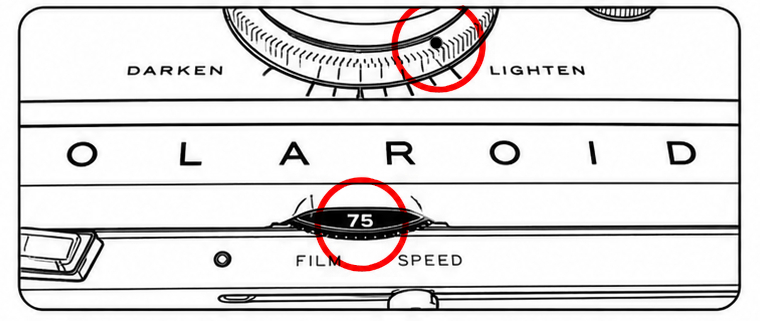
Example: Speed setting 75 +2 Lighten
Means: Set the Film Speed selector to 75 and move the Lighten/Darken control two steps toward Lighten.
Fine-tune the exposure with the Lighten/Darken control if necessary:
If your photos are too bright → move the control toward Darken (−)
If your photos are too dark → move the control toward Lighten (+)
Note: Exposure results may vary depending on the condition of the light sensor, battery condition, and lighting conditions.
Framing
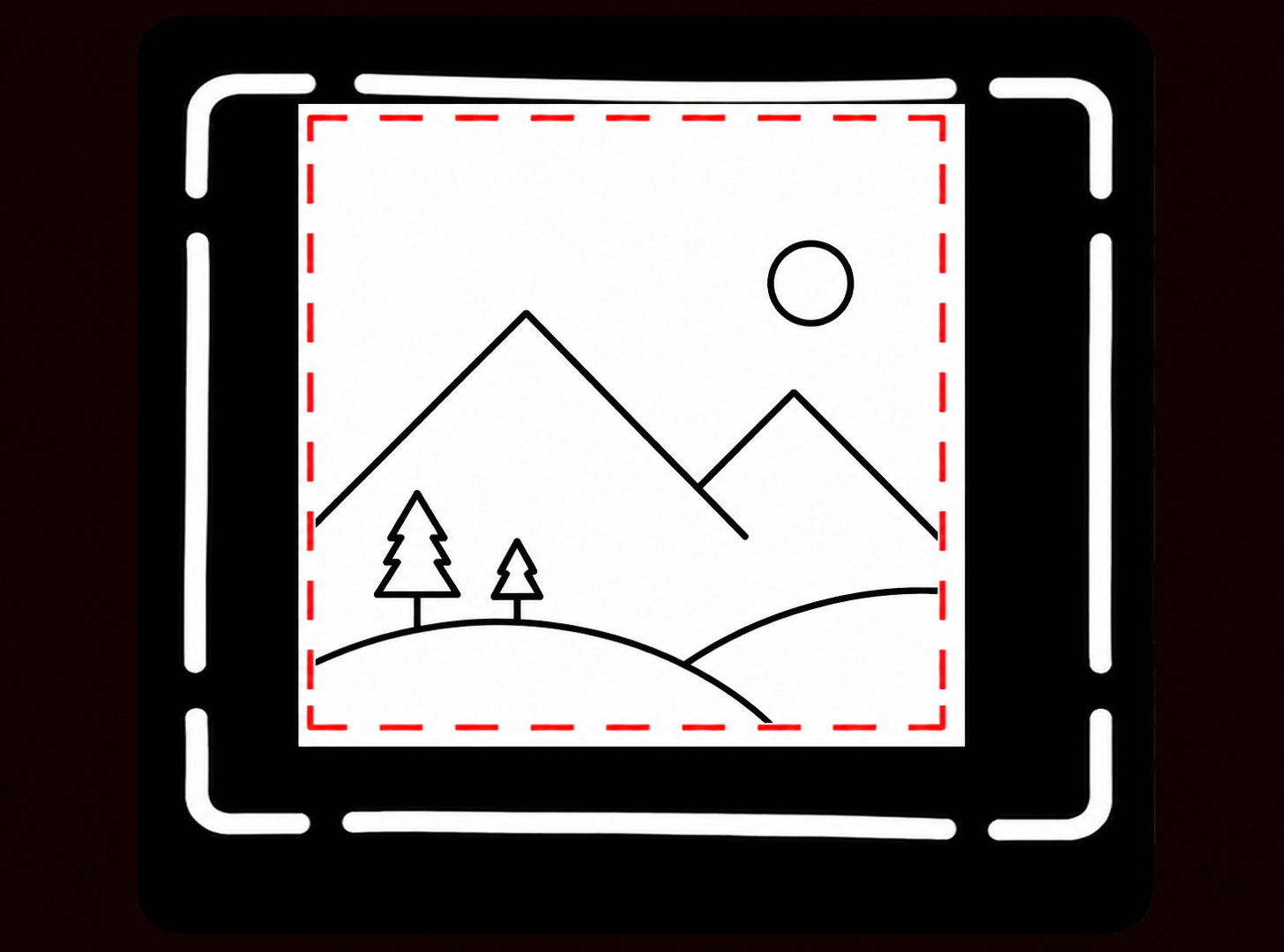
Look through the camera viewfinder and center the white broken frame. The inner square (slightly off-center) represents the final image area.
Focus
Use the rangefinder and make the focus as on the original Land camera.
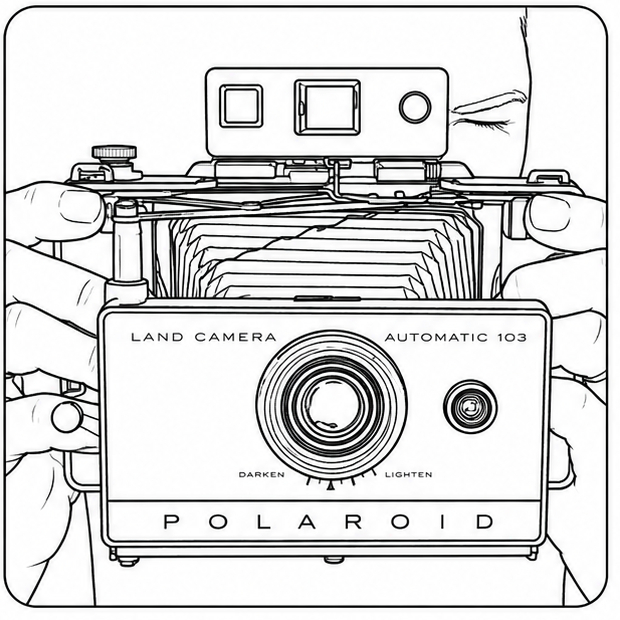
SHOOTING
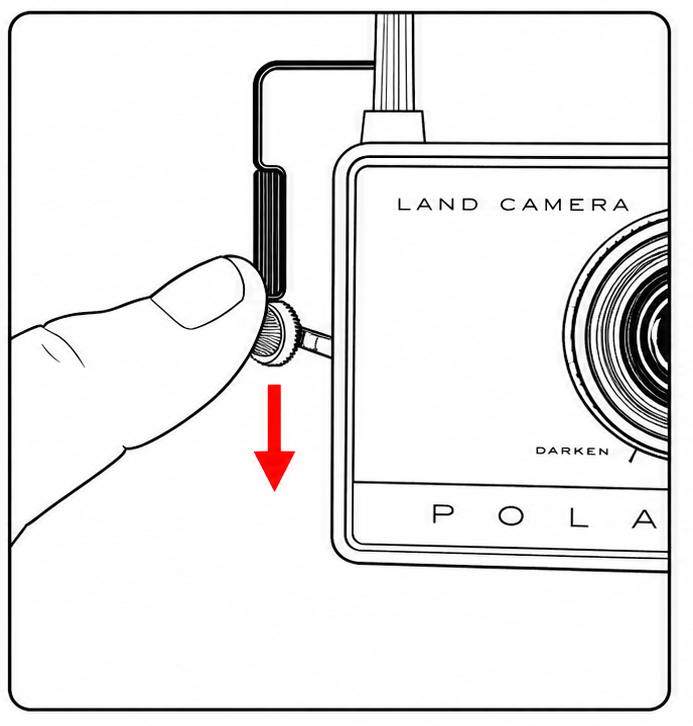
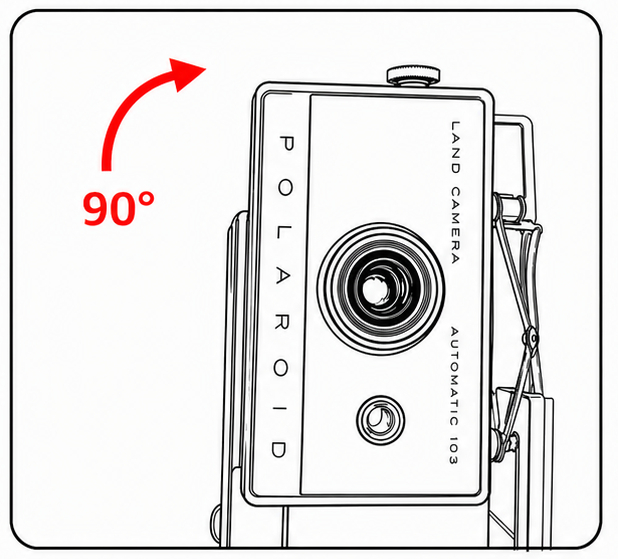
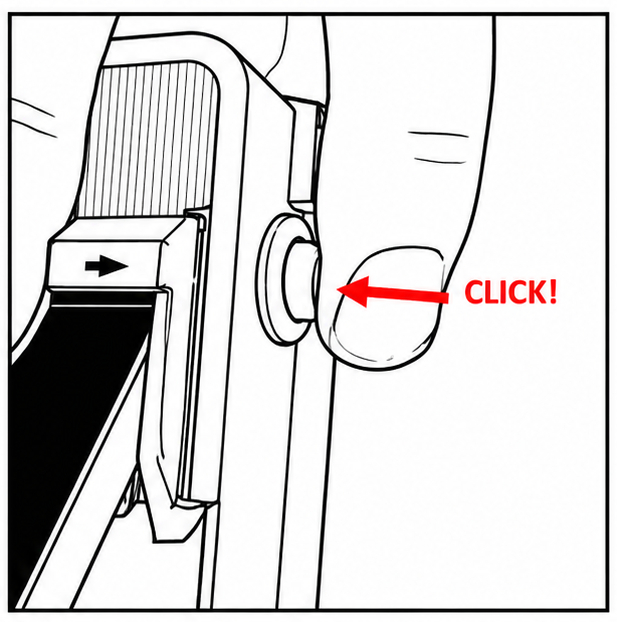
DEVELOPMENT
Keep the photo away from direct sunlight during development. Develop in the shade or indoors for more consistent results.
Turn the knob clockwise (~10 turns) to pass the photo through the rollers
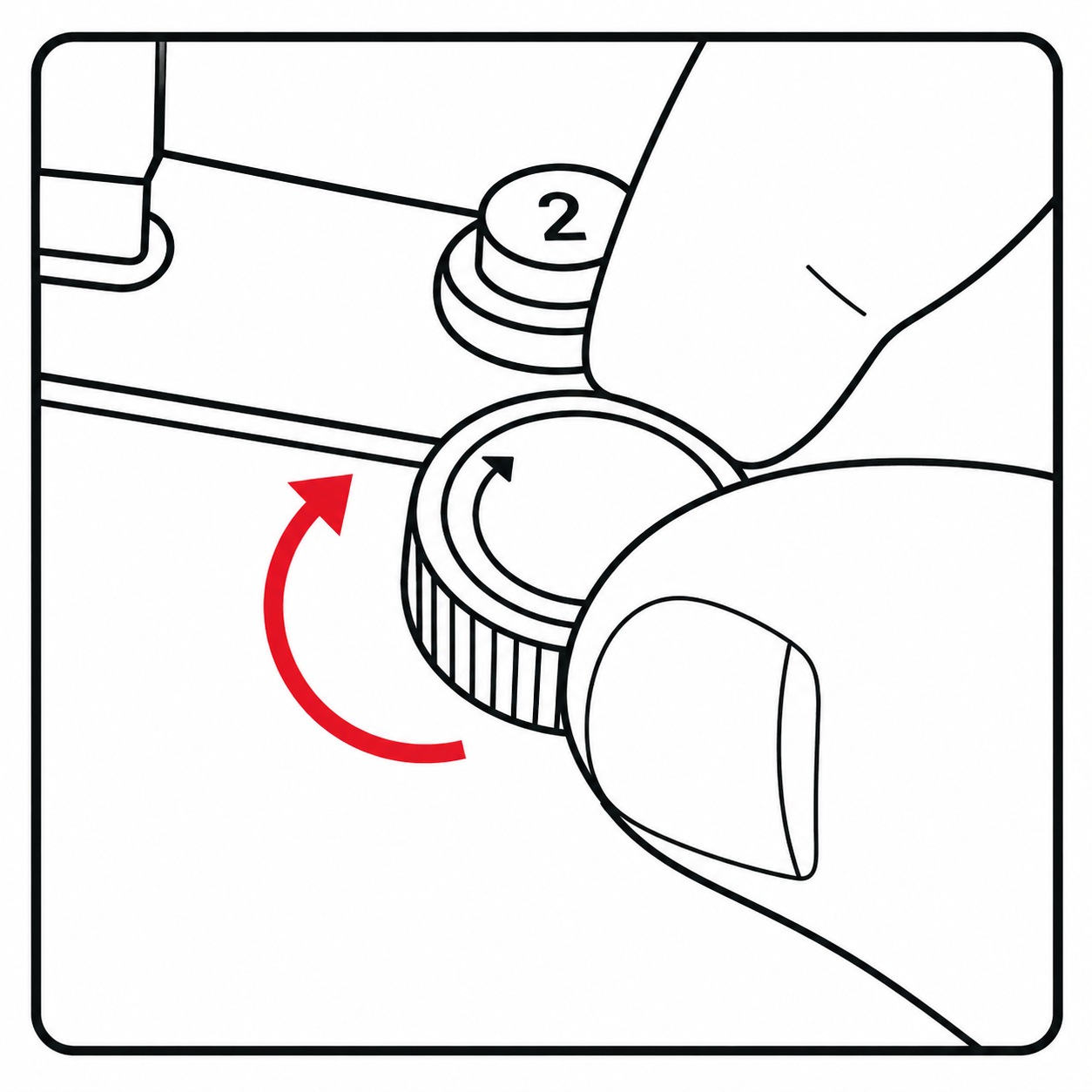
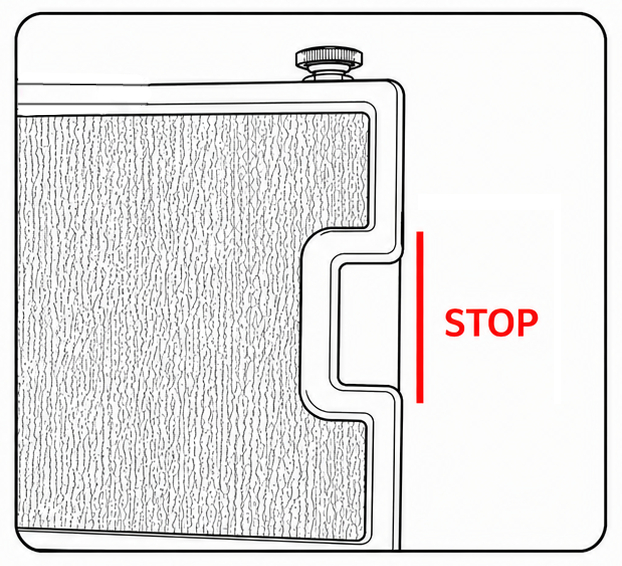
Stop turning the knob when the white frame reaches the edge of the cover
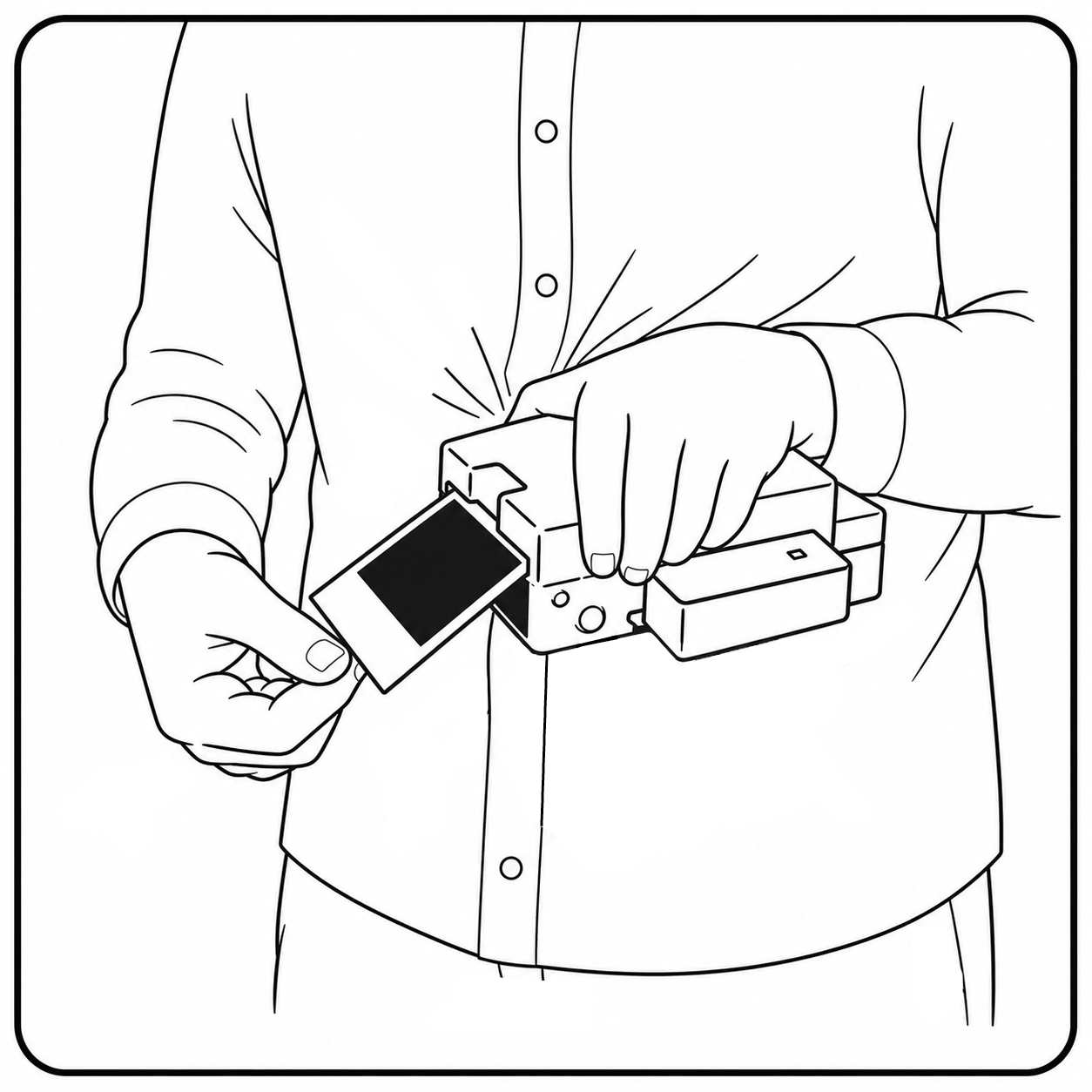
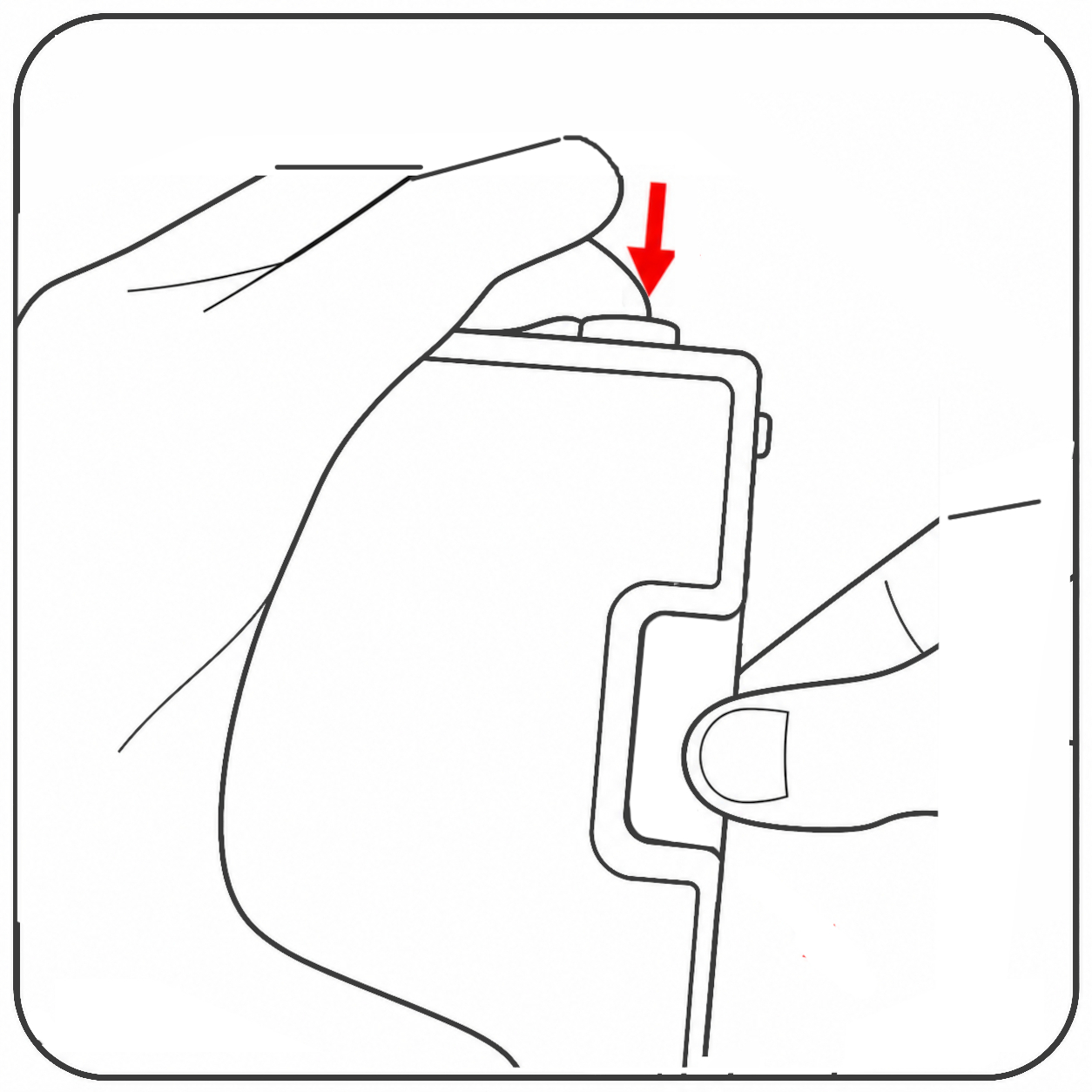
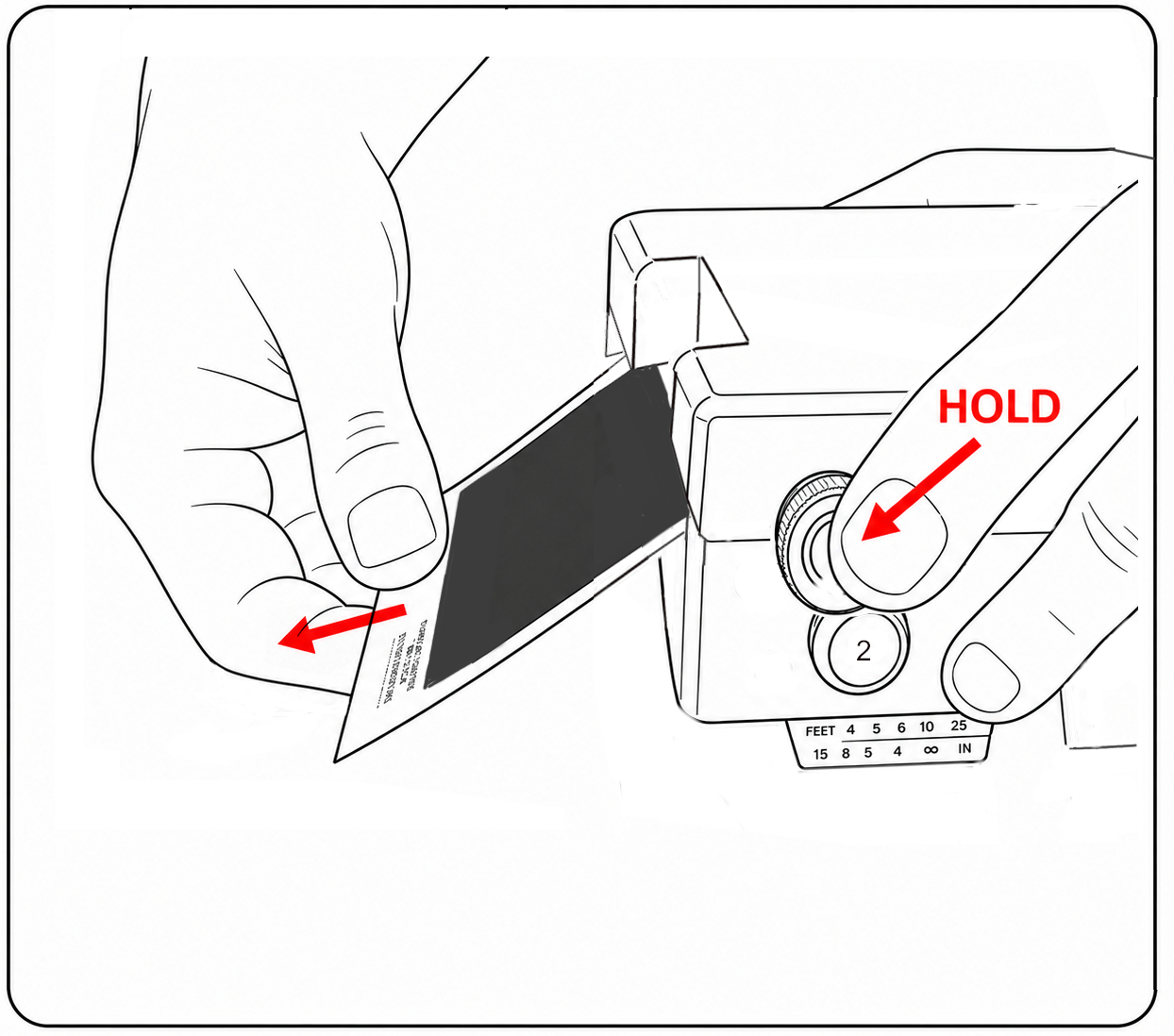
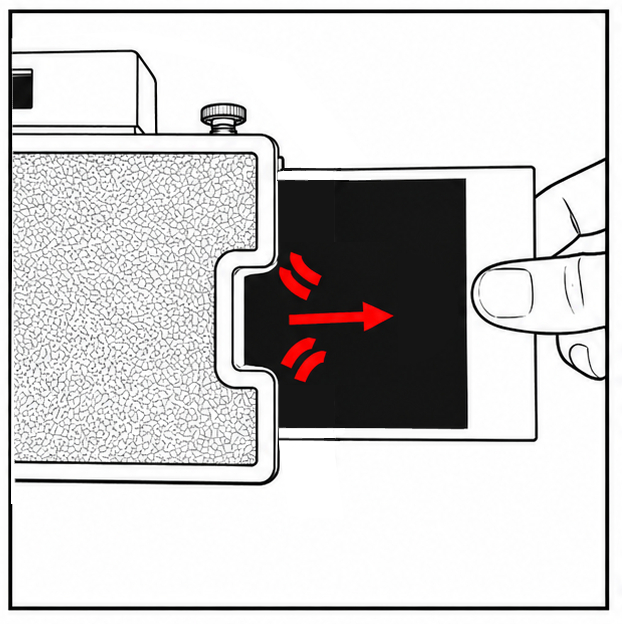
Consistent spreading depends on correct handling and continuous movement
Note: B&W film is more sensitive, pull the photo out with less downward pressure than with color film.
Always hold the knob while pulling the photo. Otherwise, the device may be damaged
Video - Development
Disclaimer
This system is designed for practical use with recent instant film. Results may vary depending on film type and environmental conditions.
MAINTENANCE
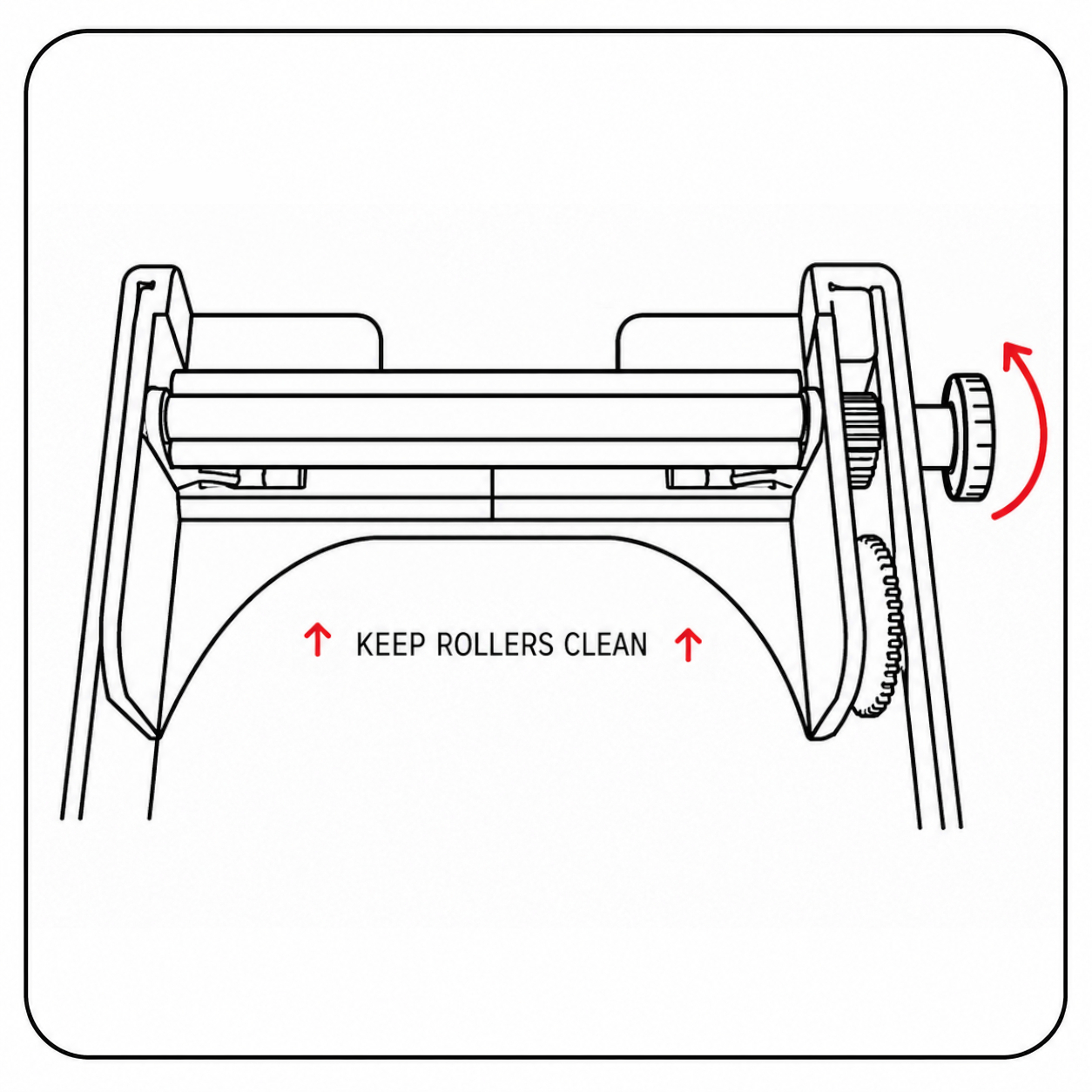
Keep rollers clean
Turn the knob to inspect and clean the rollers. Clean regularly with a damp cloth, then dry carefully
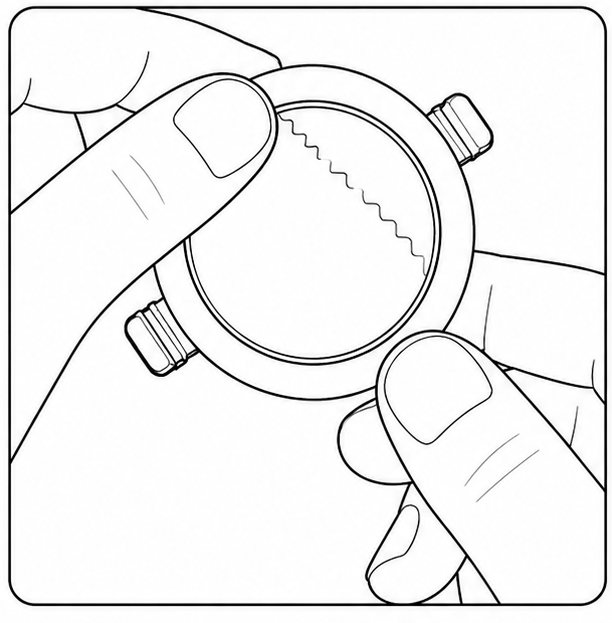
Clean the Lens
Breathe gently on the lens to moisten it, wipe lightly with clean and dry cotton
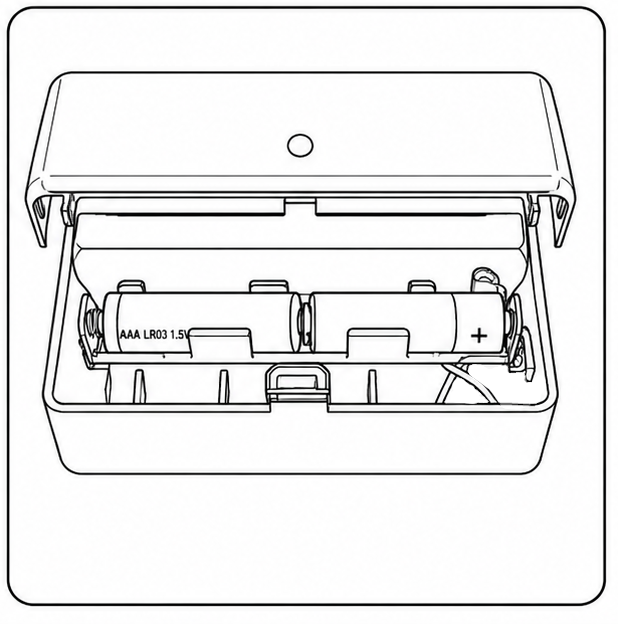
Take out batteries
Remove the batteries from the camera if you don't use the camera for a long period of time
Trouble shooting
NEWLAND uses a manual development process inspired by traditional Type 100 peel-apart film systems. A few test shots may be required to master the handling and achieve optimal results
Incomplete spread
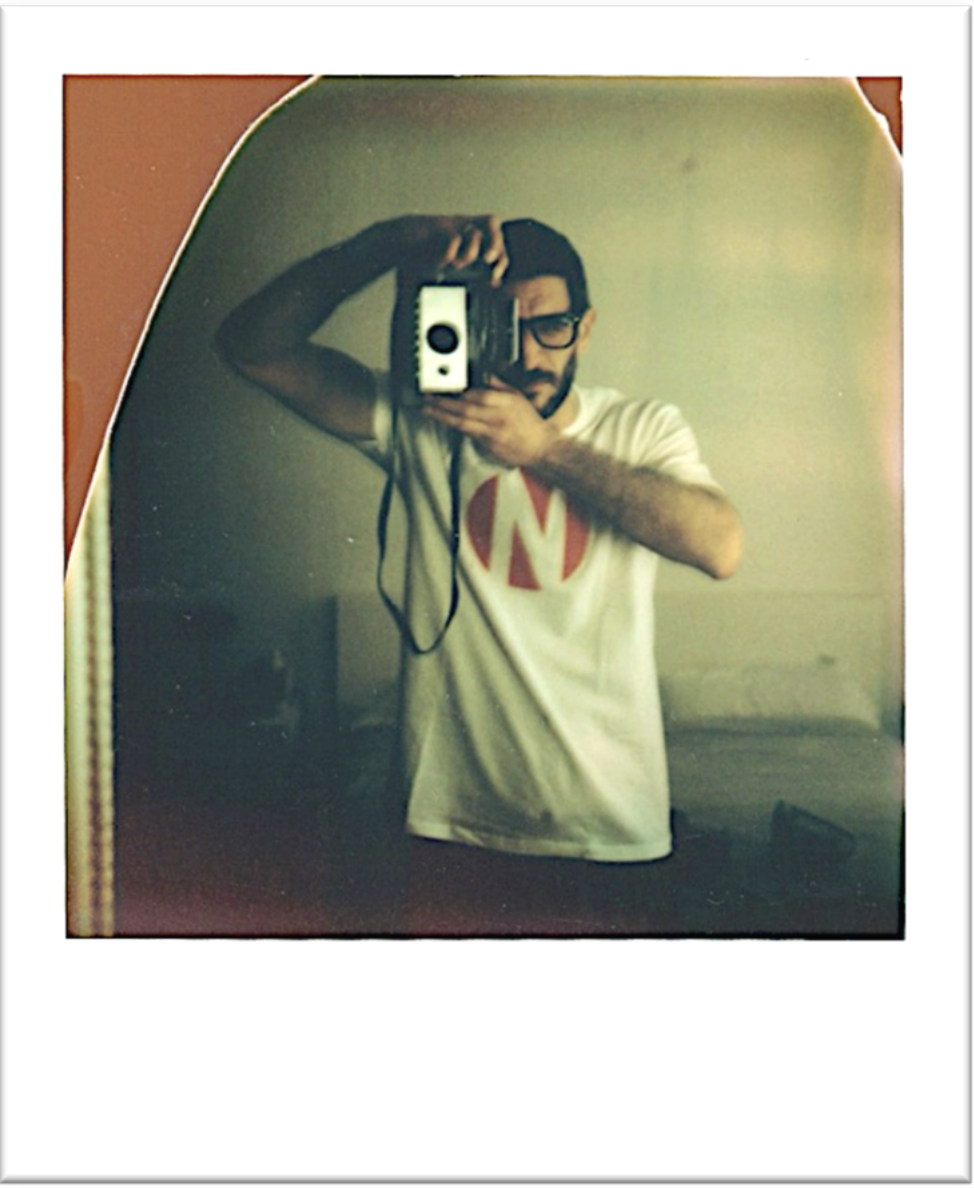
➔ Hold firmly the knob while pulling
➔ Pull more downwards and slowly
➔ Use recent and well stored film
Roller marks
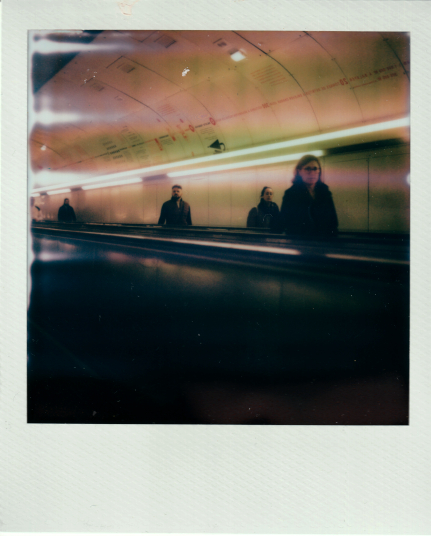
➔ Pull more gently and straight down
➔ Hold the photo well in the middle
➔ Clean the rollers if necessary
Border on the side
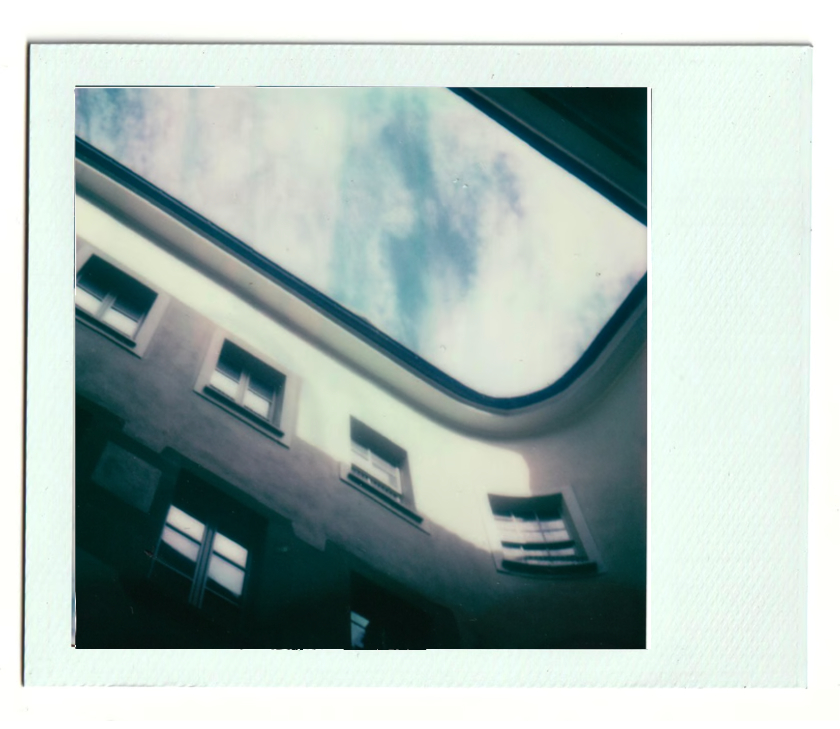
➔ To have the larger white border at the bottom of the photo, rotate the camera 90 degrees with the right side facing upward.
Black image
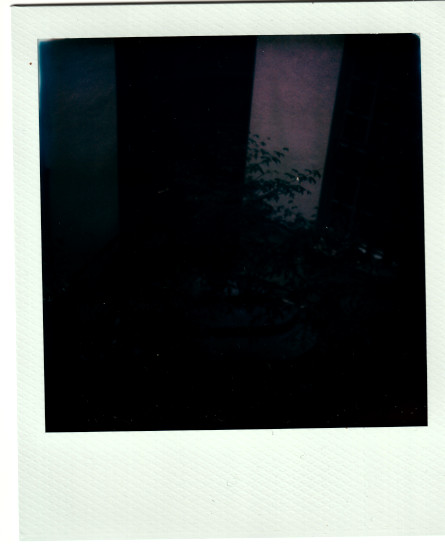
➔ Check the camera speed settings
➔ Never use the speed setting 3000
➔ Replace the battery of the camera
White image
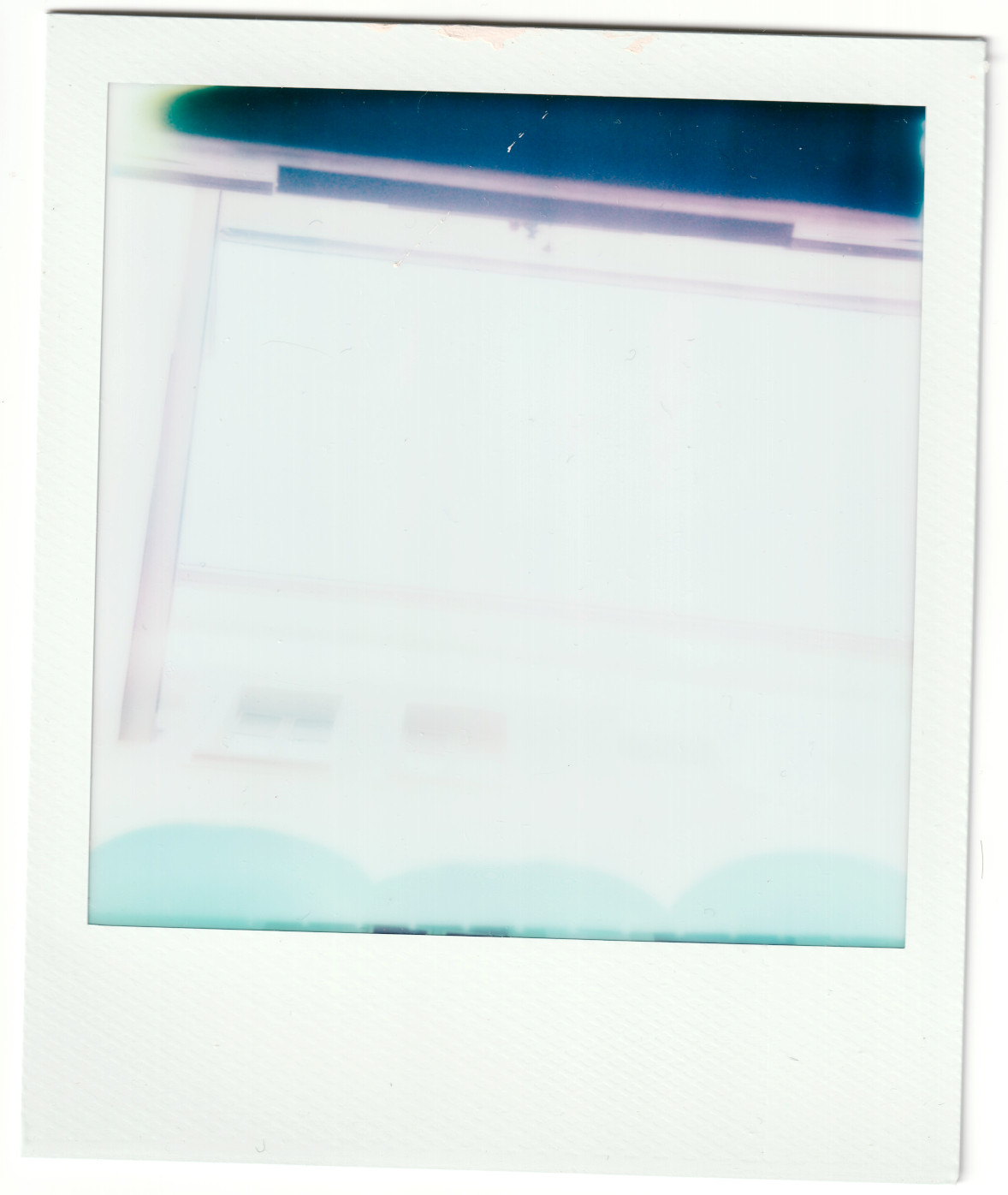
➔ Check the camera speed settings
➔ Ensure the back is installed correctly
➔ Develop the photo in a shaded area
FAQs
Which camera models are compatible?
Compatible with folding Land cameras 100–400 series
Manuals : 180 / 190 / 195
Autos : 100 / 101 / 102 / 103 / 104 / 125 / 135 / 210 / 215 / 220 / 225 / 230 / 240 / 250 / 315 / 320 / 325 / 330 / 335 / 340 / 350 / 355 / 360 / 420 / 430 / 440 / 450 / 455
Should I always use the 75 setting?
The speed setting 75 works for all automatic camera models. Some models also offer settings 150 or 300 that can be used.
Do I need an ND filter?
No, if you use SX-70 film with speed setting 75 on the camera. Or if you use ISO 640 film and you have speed settings 150 and 300 or if it's a manual camera.
Why use an ND filter?
In bright daylight, it allows shooting ISO 640 film wide open at the maximum aperture f/8.8 on automatic cameras.
Why are images reversed?
As in large format cameras there is a mirrored effect. But don't you know that a lot of professional photographers reverse portraits, so it looks like what the model sees every day in the mirror!
Can I still use Type 100 film?
Yes, the conversion is reversible, simply reinstall the original camera door, following the installation steps backwards.
Are original accessories compatible?
Yes, all original accessories of the Land cameras remain usable. (portrait kits, shutter release, self-timer, etc...).
Does the camera require a battery?
Yes, for the light meter of the automatic camera models, it is possible to convert the old obsolete battery to the new AAA. Manual cameras such as 180, 190 and 195 do not require a battery.
Warranty
Coverage
This warranty covers any malfunction resulting from a manufacturing or assembly defect occurring within the warranty period. If a defect is confirmed, the unit will be returned to our workshop for inspection, adjustment, or repair. We will assume full responsibility for the correction.
Exclusions
This warranty does not cover:In such cases, repairs may still be possible and can be carried out subject to a service fee.
Duration
This commercial warranty is valid for 12 months from the date of purchase.
Support
Please contact us at support@newlandcamera.com with a description of the issue and clear photos of the issue. Our team will review your request and provide further instructions.
Shipping
Return shipping to the workshop is the responsibility of the customer. The product must be sent in its original packaging, including all the accessories. Return shipping after repair will be covered by NEWLAND if the issue is confirmed under warranty.